Joymore changelog
Joymore 3.0: Desk, Coordination, Collaboration, Analytics, Appovals.
Feature
Product Release
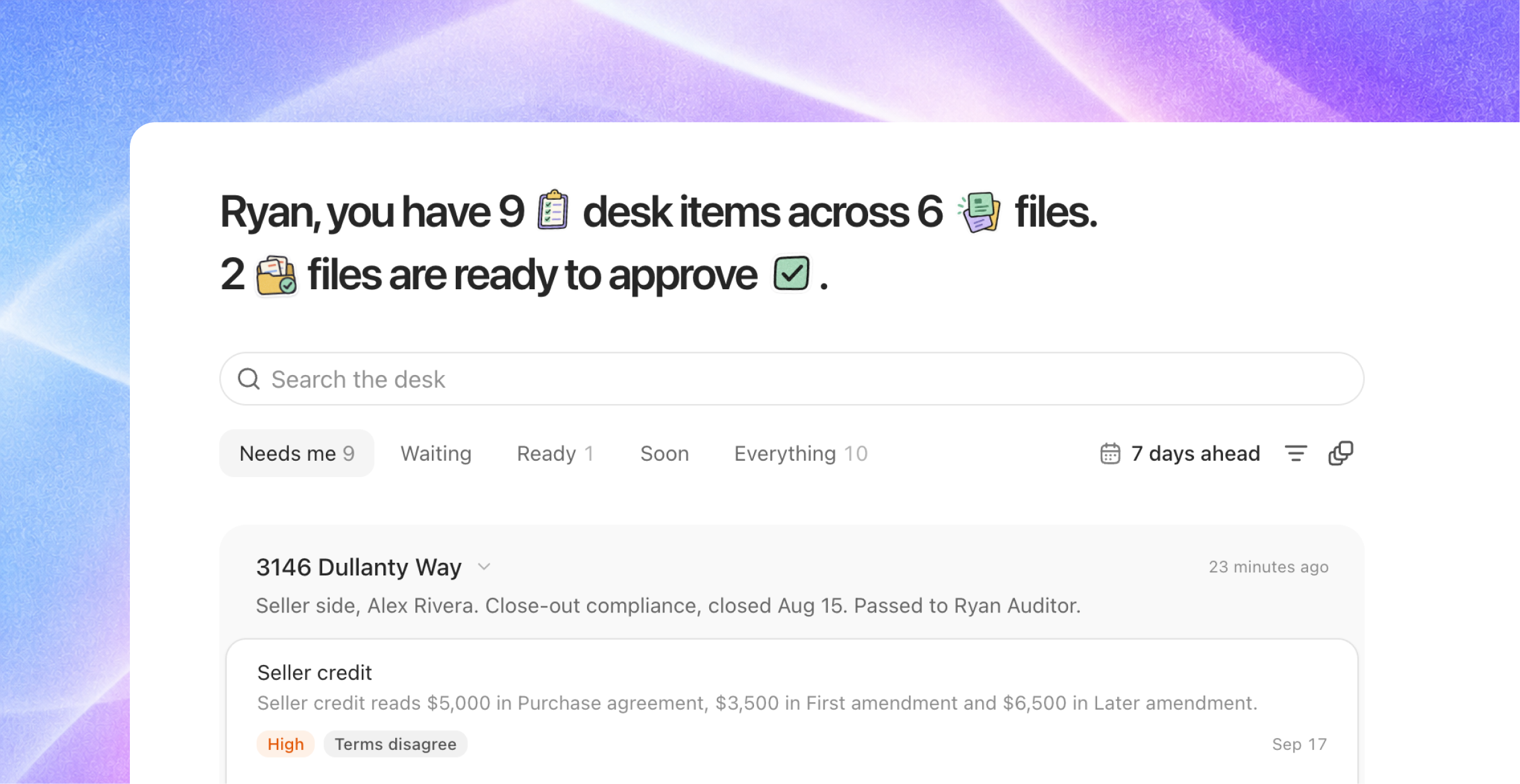
Joymore now works the way a compliance desk does
When you open Joymore, the first thing you see is your Desk. It lists every decision that is waiting on you, across all of your files, in one place. Behind it there is a rebuilt file page, transaction coordination for every brokerage, issue tiers that tell you what actually blocks a closing, and a new Analytics section. This is the largest release since launch. Everything below is already on, and there is nothing to set up. Click What's new in the sidebar for a short tour of each new screen.
The Desk is your home page
One list for everything that needs a person. Every open task on every file you can see is one row on the Desk. Rows are grouped by file, and the file that closes soonest is at the top.
Read the list through a lens. A lens is a filter. Needs me shows what only you can do. Waiting shows what is waiting on a teammate or on someone outside the brokerage, like escrow or the other agent. Ready shows files that are ready for the broker to approve. Soon shows what is coming up in the next few days. Everything shows it all.
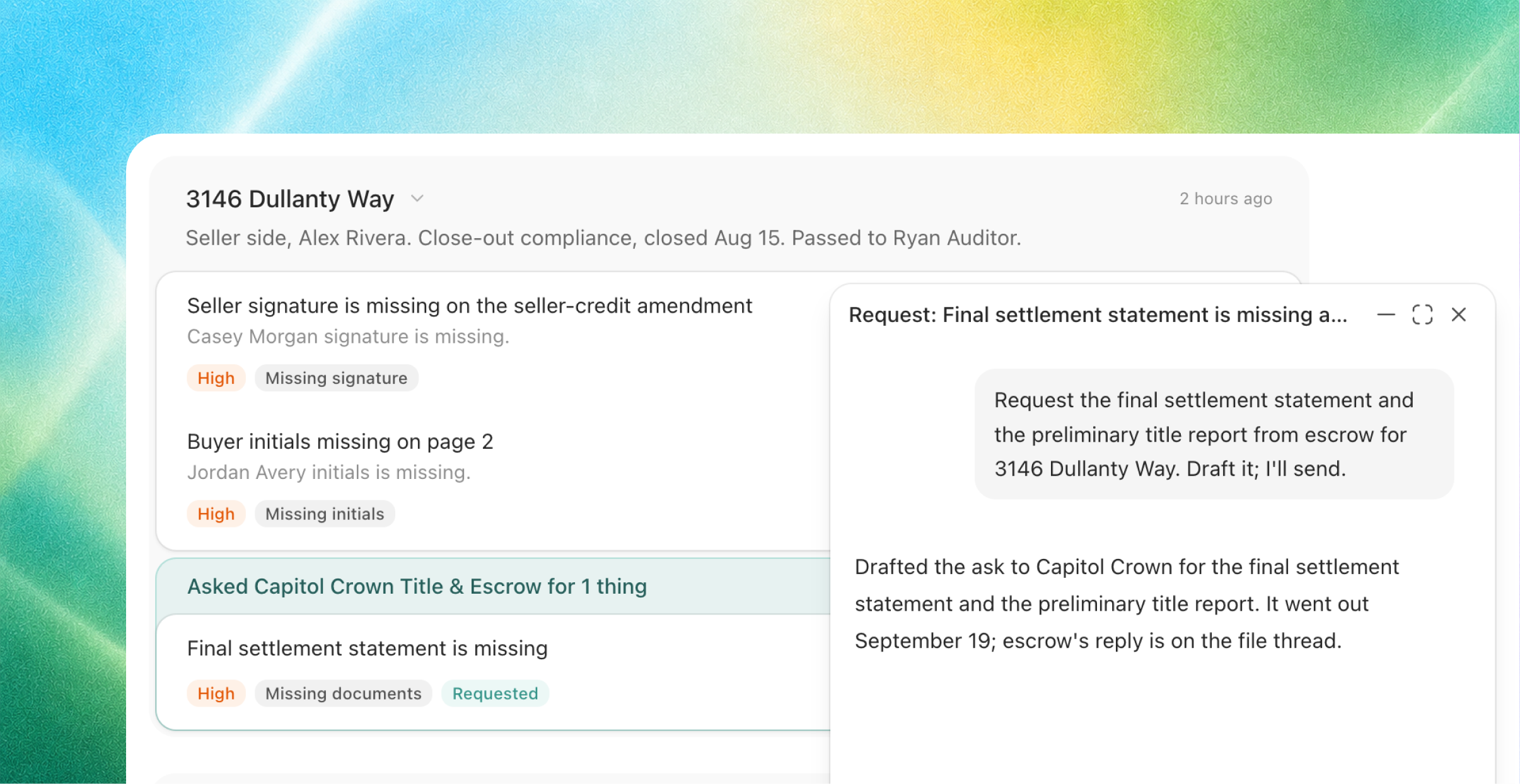
The action is right on the row. Each row tells you what needs to happen and gives you the button to do it: approve, ask someone, waive it, mark it done, or request the paper. Clicking the button does the work right away. You only need to open the file when you want to read the documents.
Ask once for everything one person owes you. When several rows are waiting on the same person, they fold into one ask, for example "Ask Elena Park (escrow) for 3 things." Joymore writes the message for you inside the row. You read it and send it. Joymore never sends anything on its own. The rows then wait together until the reply comes in.
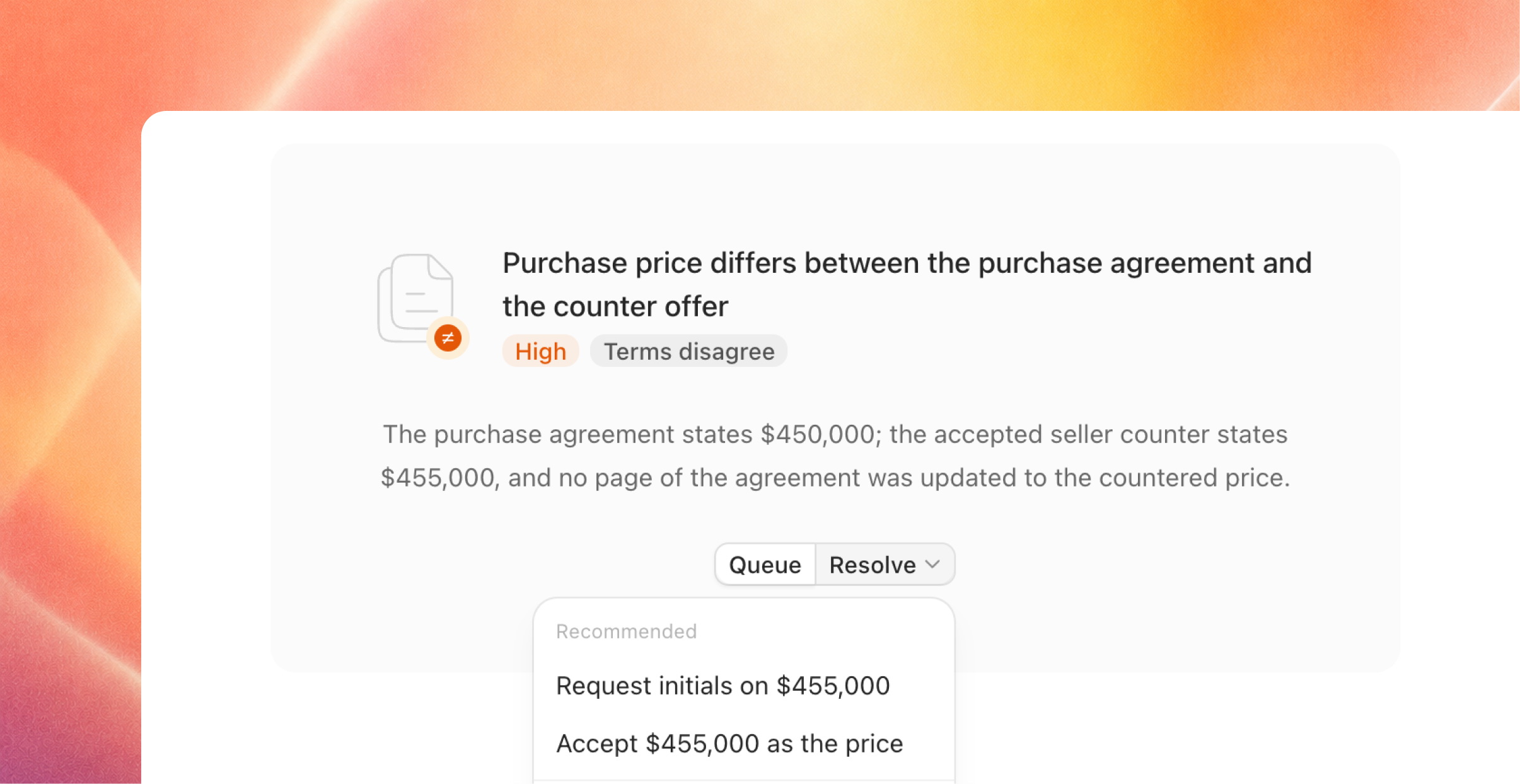
A new file page
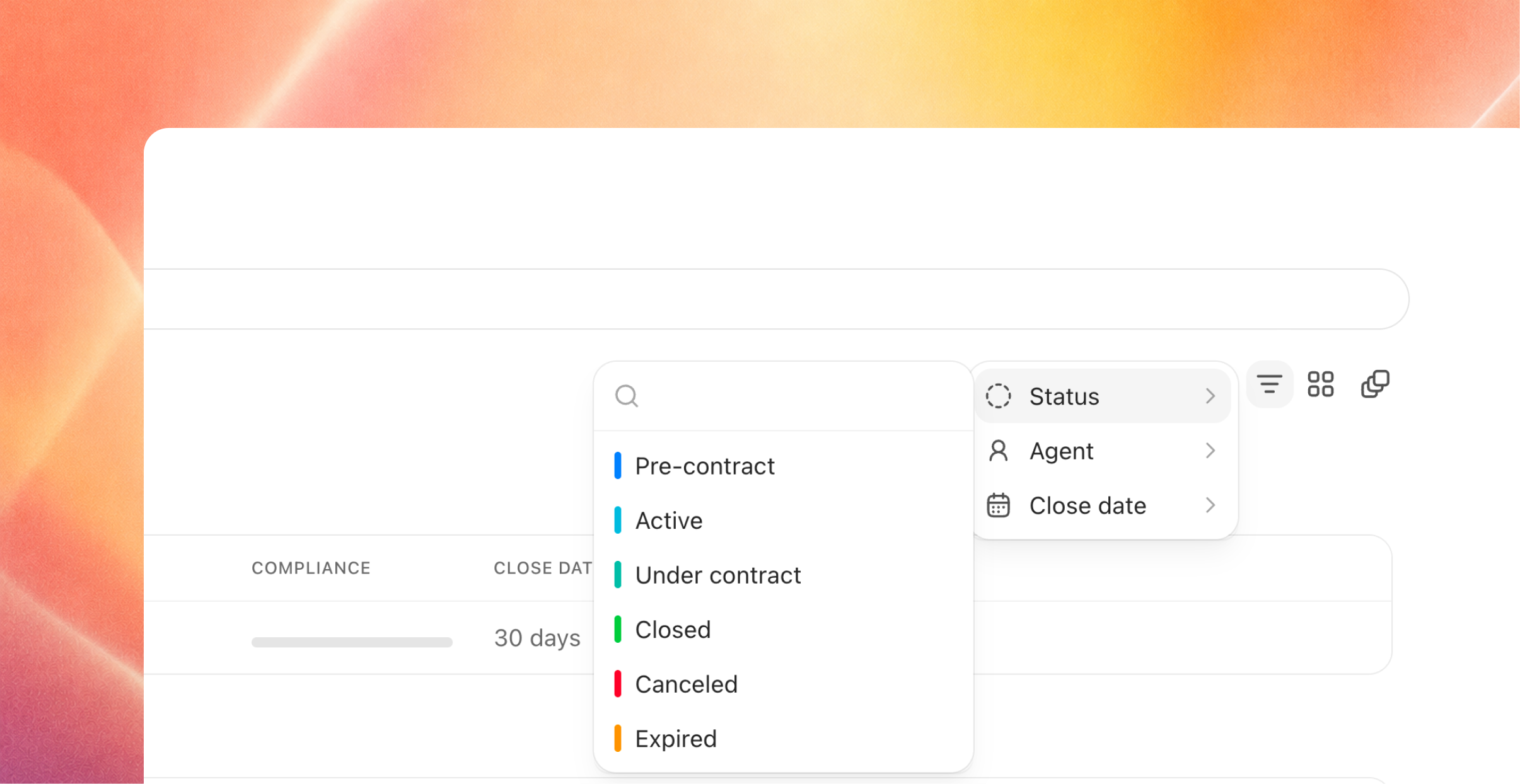
Status and Stage. Every file now shows two things at the top. Status is where the deal is: Active, Under contract, Closed, Canceled, or Expired. Stage is where the brokerage's work on the file is: Coordinating, Pre-close check, Close-out compliance, Approved, On hold, or Ended. Under them, one sentence says which side you represent, what stage the file is in, the next date that matters, what is still owed, and who is holding the file right now.
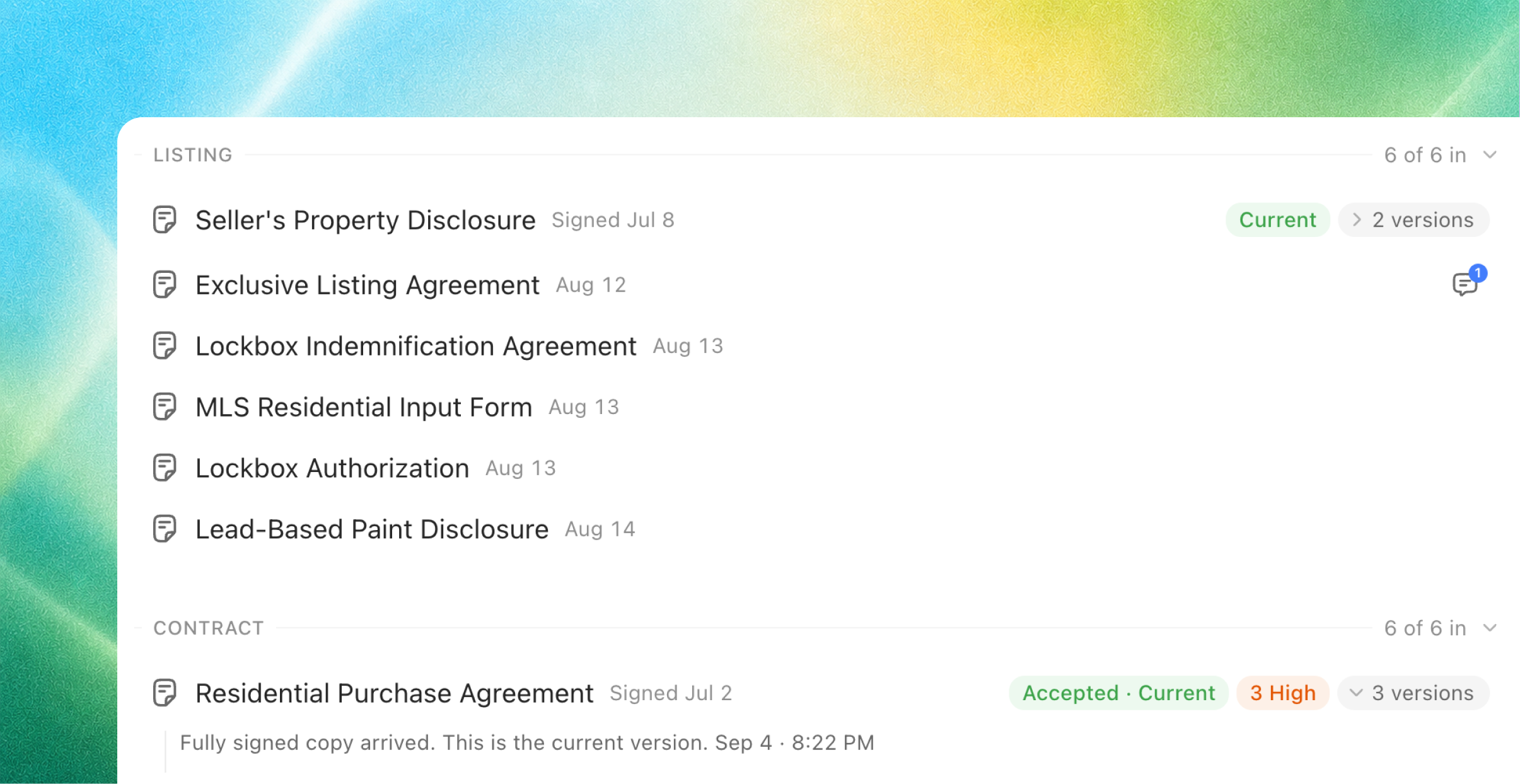
Six views in the side rail. Work, Plan, Checklist, Paper, Comments, and Mail. Paper groups the documents by the phase of the transaction they belong to, and shows what has come in and what is still needed. You can drop a document anywhere on the page and Joymore files it for you.
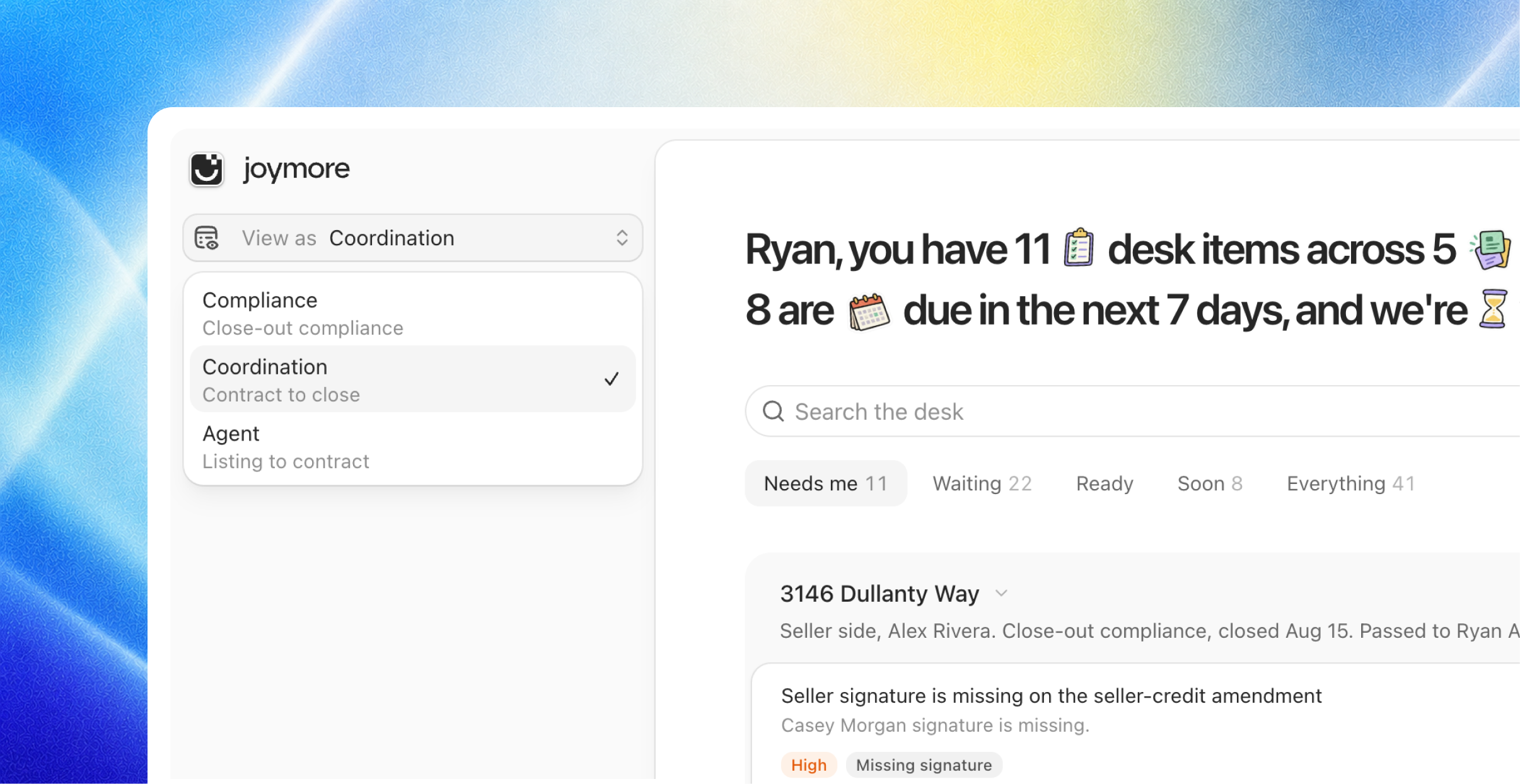
View as. You can look at the same file as Compliance, as Coordination, or as Agent. Each view shows the work that belongs to that job.
Analytics
Your brokerage's numbers, live. Analytics opens on a dashboard for your brokerage: how many files are open, where each one is in the pipeline, what has closed, and what commission is coming. The numbers are computed fresh each time you look, and you only ever see files you are allowed to see.
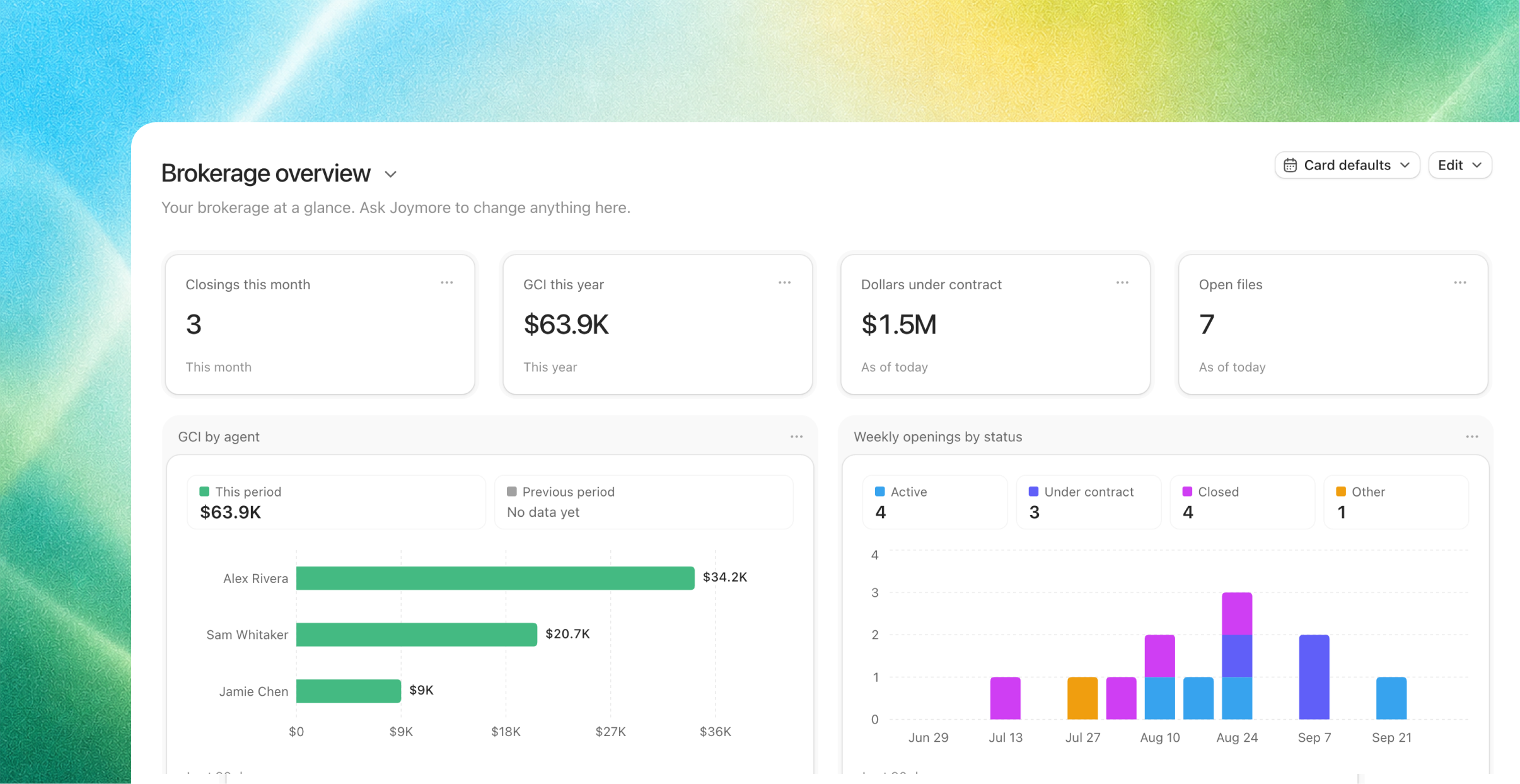
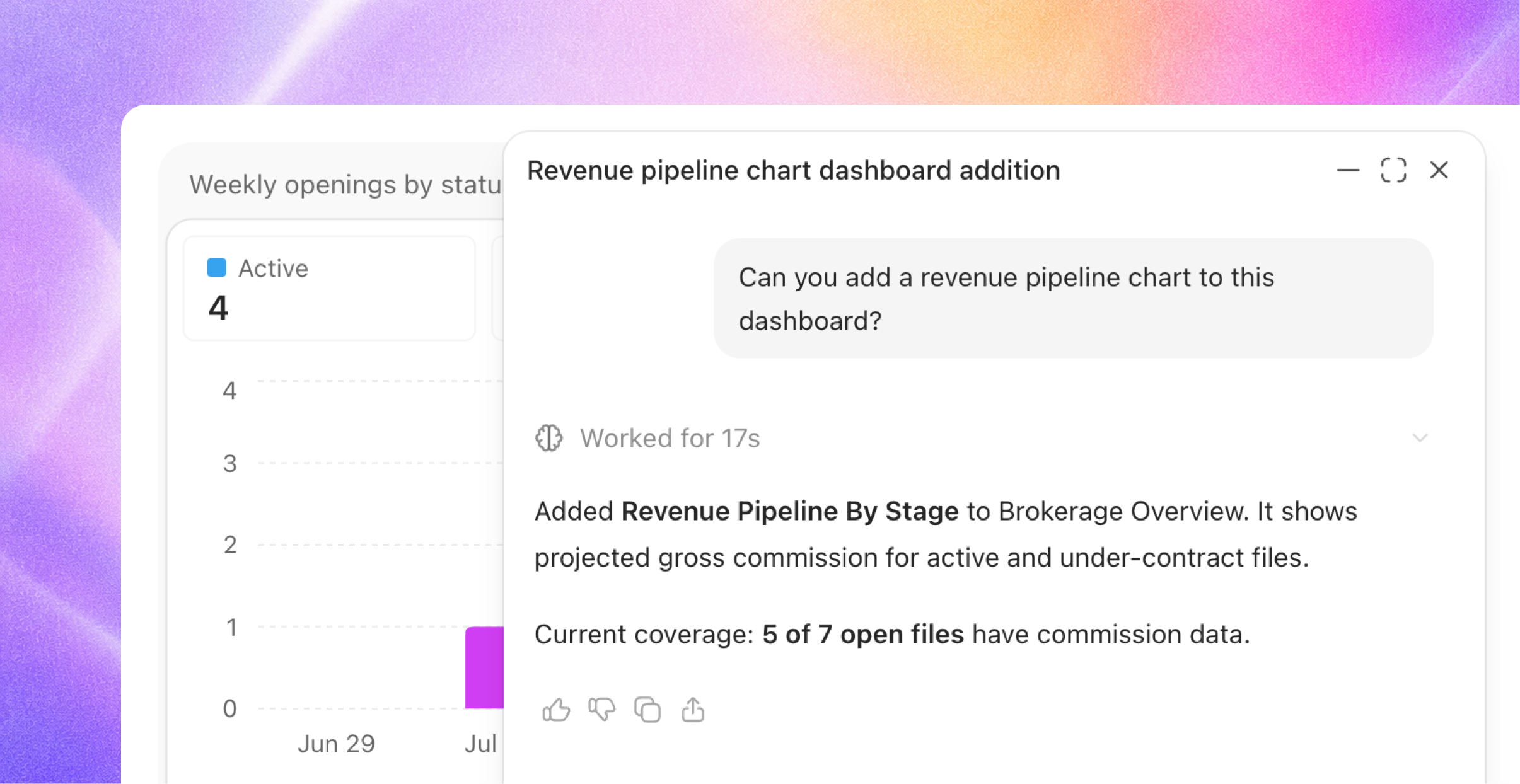
Build a dashboard by asking. Tell Joymore what you want to see, in plain words, and it builds the charts. You can change any tile by chatting, pick the chart type, the time period, and what to compare it to, then save the dashboard and share it with your team.
Issue tiers, review depth, and cures
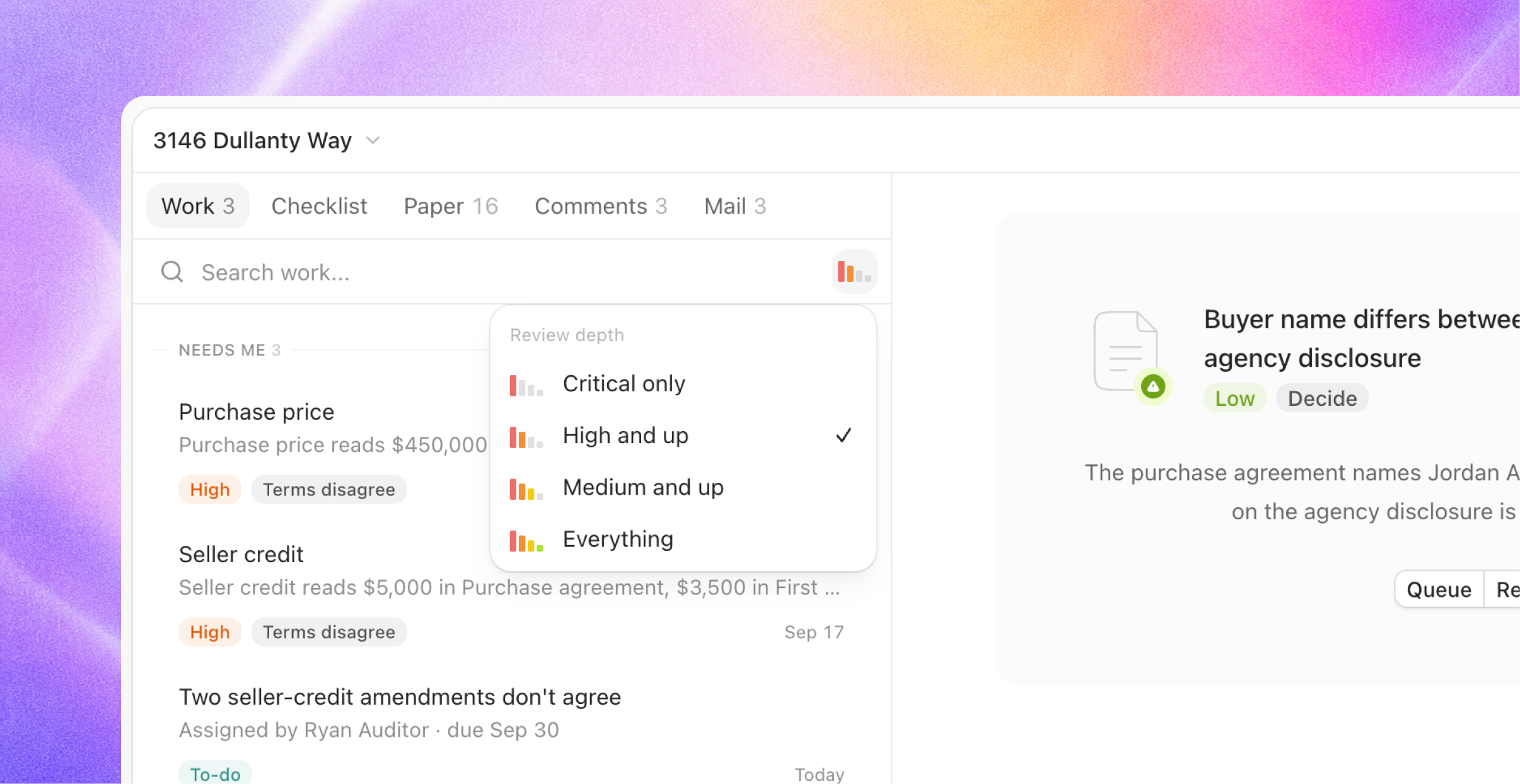
Every issue has a tier. When Joymore finds a problem on a file, it gives the problem a tier: Critical, High, Medium, or Low, with a one-sentence reason. Critical and High are only used for problems that would stop the closing or stop an agent from being paid.
Choose how deep you want to look. Under Settings > Compliance, pick Critical only, High and up (the default), Medium and up, or All. Problems below the level you pick are still recorded, but they are folded out of the way.
The button is the fix. Each issue offers the thing that would fix it: Request it, Upload it, Already have it, Request a correction, It's correct, or Update the record. The old "Confirm" button is gone.
No duplicates. When the same problem shows up more than once, Joymore folds the copies together, so you see it once.
Every file, read again
Joymore has read every document on every file again, using the new reviewer. Each upload was filed with its original arrival date, split into the individual forms inside it, and matched to the checklist from scratch. Your arrival dates, file history, people, key dates, and mail did not change.
Old issues were retired, not carried over. What a file shows now is the new reviewer's judgment of its paper, with tiers and fixes. If you had waived or dismissed an issue under the old review, that issue is gone. If the new reviewer raises the same point, fixing it is one click on the row.
Closed files were read again too. Their paper was re-filed and re-read, and nothing was reopened.
Close-out, then the broker's approval
Joymore runs the close-out audit on its own when the settlement statement arrives, when a file is marked Closed, or when someone chooses Start close-out. When the audit is done, Joymore passes the file to the supervising broker with one note: either the file is ready to approve, or here is what still stands in the way.
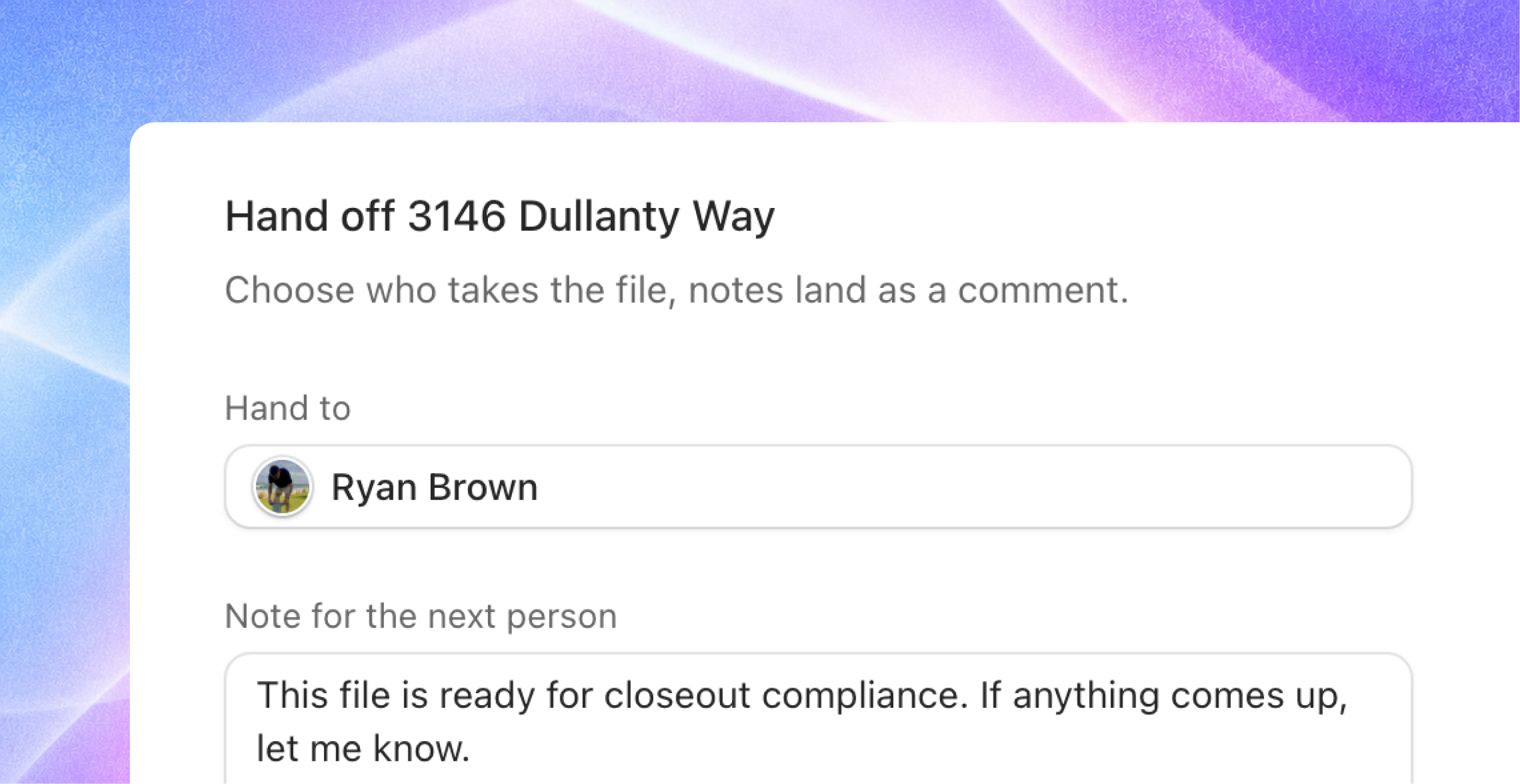
Approve or Send back from the broker's close-out screen. It shows Joymore's sign-off, what is still open, the documents waiting for approval with an Approve all button, and the issues by tier.
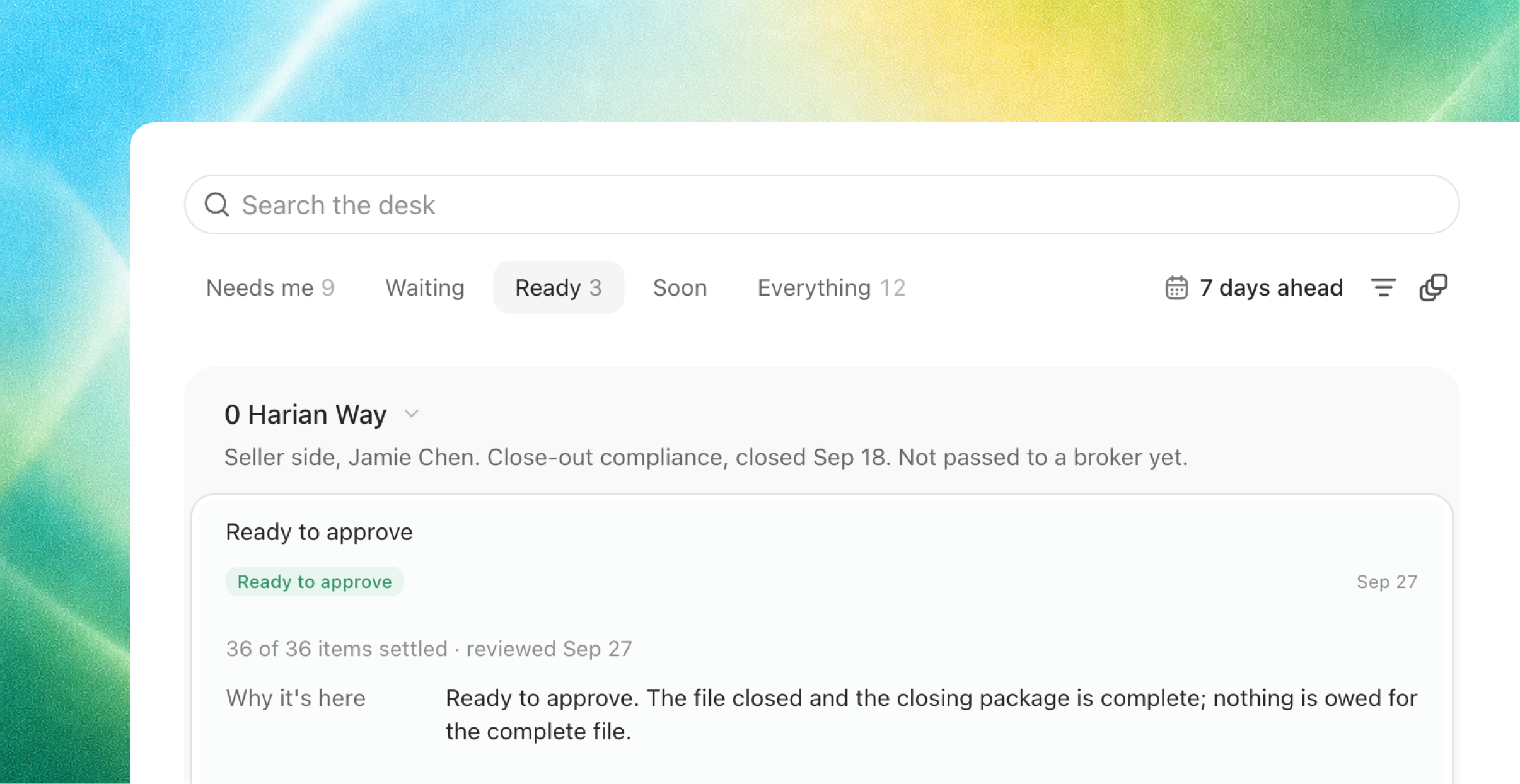
Files that closed before this release are On hold. Joymore does not run anything on them. Each one gets a single row on the supervising broker's Desk asking them to either Approve the file or Start close-out. Until they choose, the file stays exactly as it was.
Transaction coordination, on for everyone
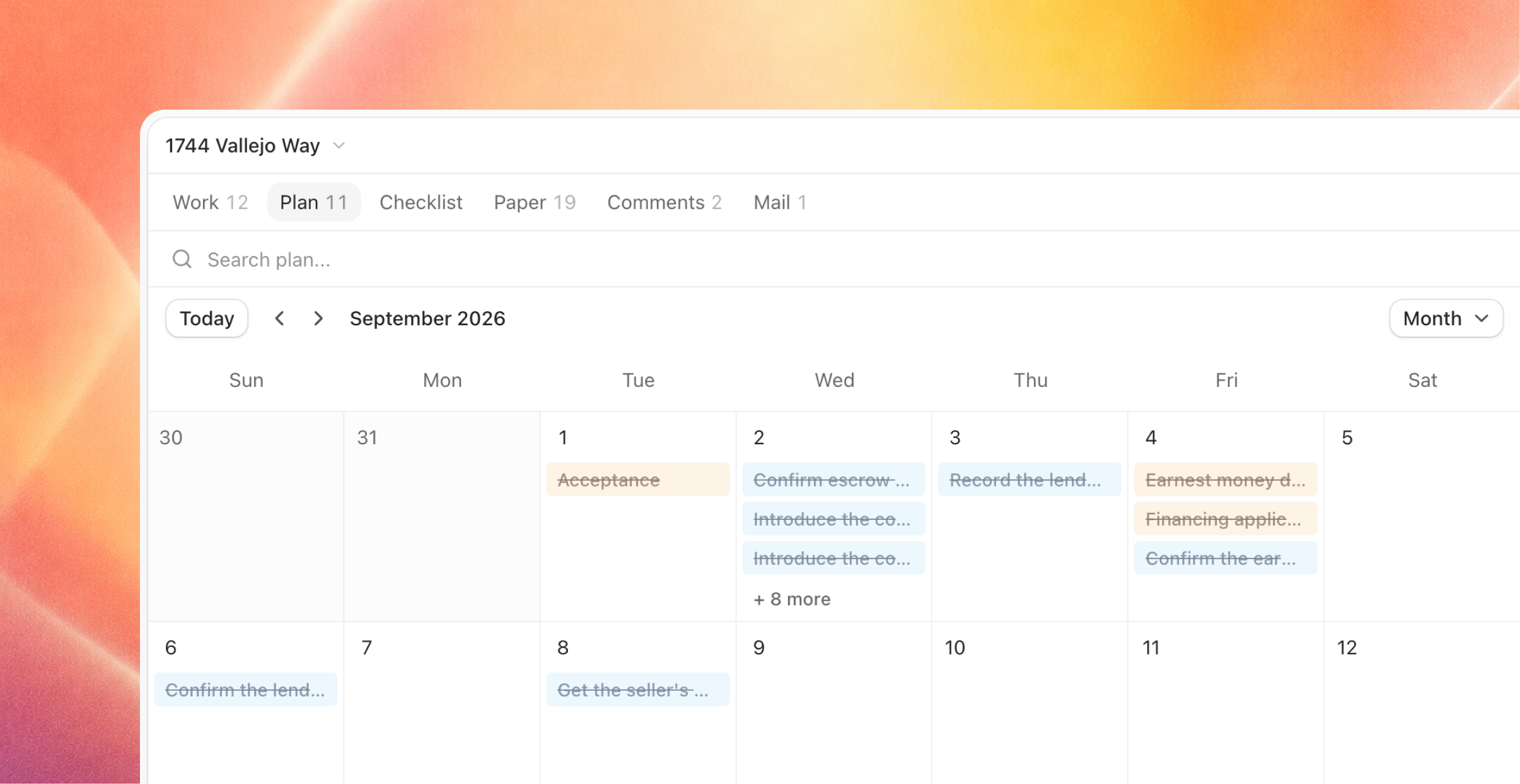
Every file with a coordinator gets a contract-to-close plan. The plan lists what to record, order, schedule, confirm, and chase, organized by side and by phase. Due dates come from the file's own dates, and steps are marked done by the paper that arrives.
Joymore drafts the messages and a person sends them. Introductions, closing instructions, status updates, appraisal access, clear to close, the day-before reminder, and follow-ups when someone has not answered.
Deadlines are part of the work. Deadlines that are close or already passed show up on the coordinator's and the agent's Desk. You can mark each one satisfied, waived, or missed, or move the date.
Settings > Coordination is where you set how the coordinator contacts your clients and how often status updates go out.
Comments
Comment on anything on a file. An item, an issue, a document, a deadline, or the file itself. You can mention teammates and add reactions. If you assign a comment to a teammate, it becomes a to-do on their Desk.
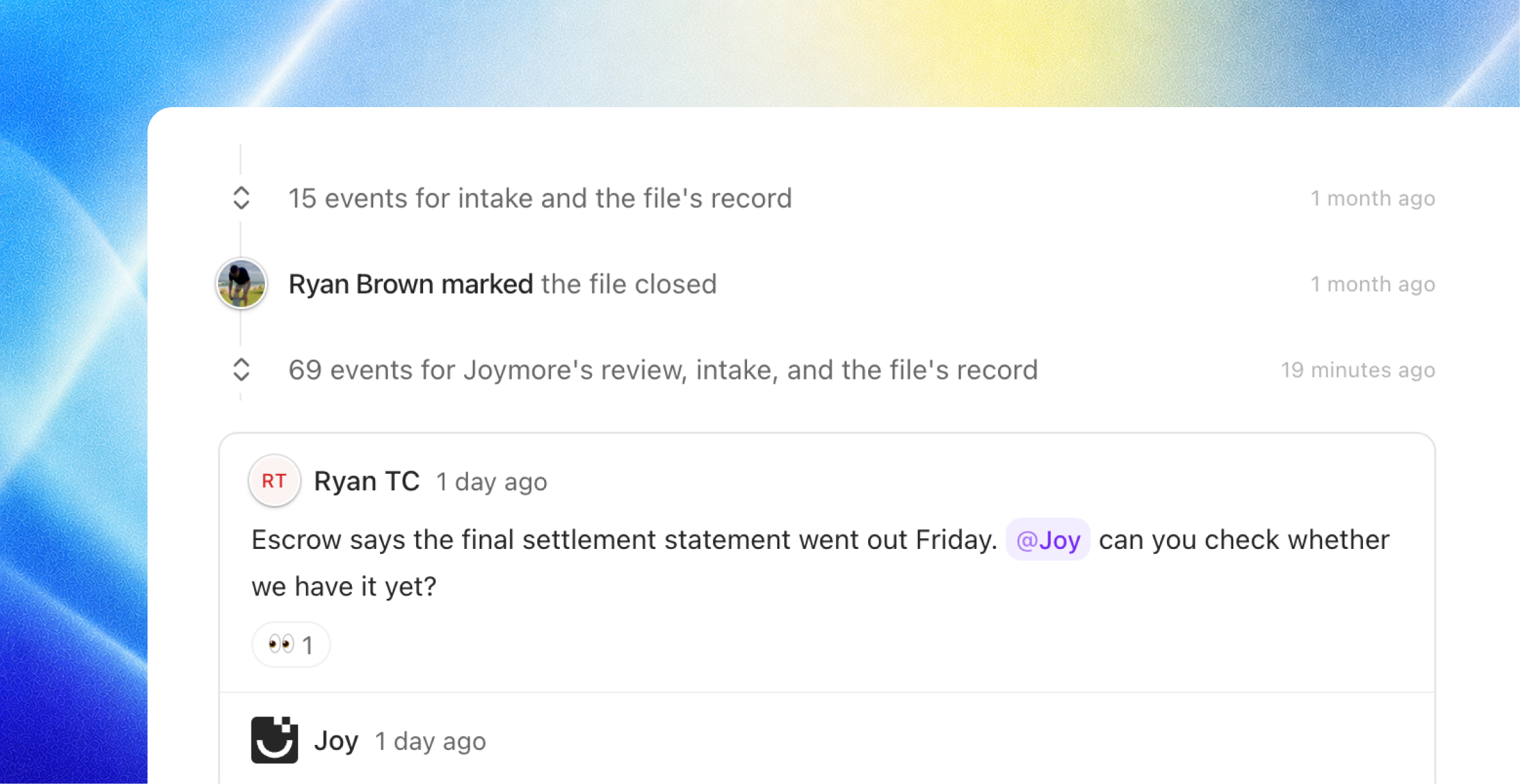
Joymore leaves a short comment after every review, every intake, and every change, written the way a colleague would write it, and answers when you mention Joymore.
Also in this release
Send from your own mailbox. Emails you send from Joymore go out from your connected Gmail or Outlook account, when you have one connected.
Paste into chat. Screenshots and files can be pasted straight into the chat box.
DocuSign Connect. Every completed envelope in your brokerage's DocuSign account can reach Joymore, not only the ones belonging to the person who connected it. Ask us to connect it for you.
Notifications, simplified. There are now two kinds: a file was passed to you, and a comment or to-do was assigned to you. You always see them in the app. Email is on by default for each kind, and you can turn it off.
Mail is email. Sending text messages through Mail is retired. Contacts keep their phone numbers.
What changes on day one. Your home page is the Desk. Every file's documents have been read again and the old issues have been retired. Issues now read Critical, High, Medium, or Low. Files that closed before today are On hold until a broker approves them or starts close-out. Coordination and broker approvals are on for every brokerage. Emails for the two notification kinds start again.
Cloud Sync, Smarter Document Intake, and Broker Approvals
Feature
Product Release
Bring in files from anywhere, and watch them land
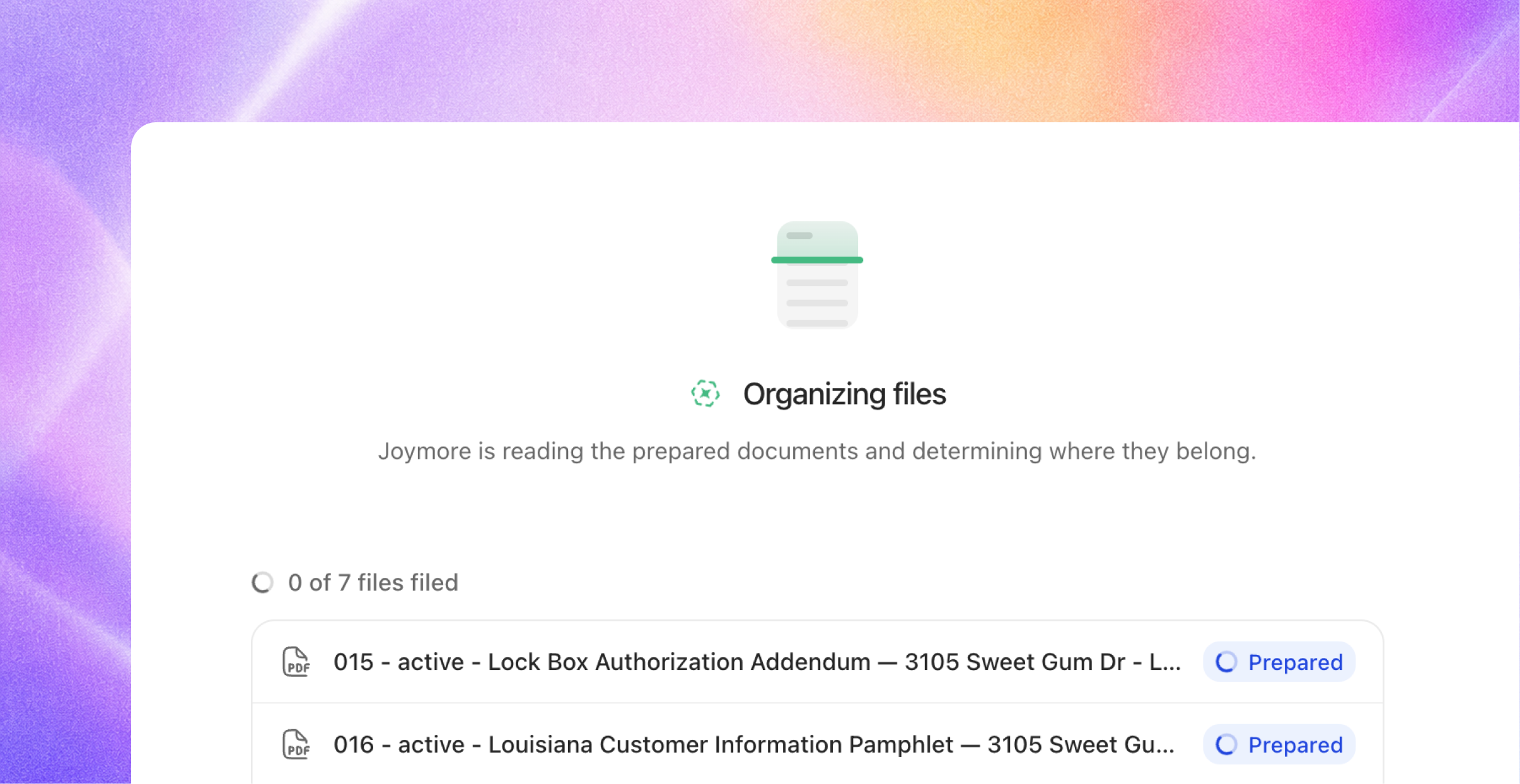
Joymore accepts files from several sources - email, chat, apps, automations, the API, your computer - but the progress wasn’t always visible, and now it is. Each intake has its own live page that shows every file as it is received, read, and filed, with a link to each transaction that received it.
Create from files. The Create menu on Transactions now offers three doors: Create with chat, Create from files, and Import from cloud.
Chat keeps pace. Uploading in chat shows the same live progress, and when filing finishes Joymore tells you exactly what landed where: "I filed 2 documents to 12 Oak Street." You can also ask things like "Where did my upload land?" and "Retry the failed intake" both work in chat.
Cloud storage sync
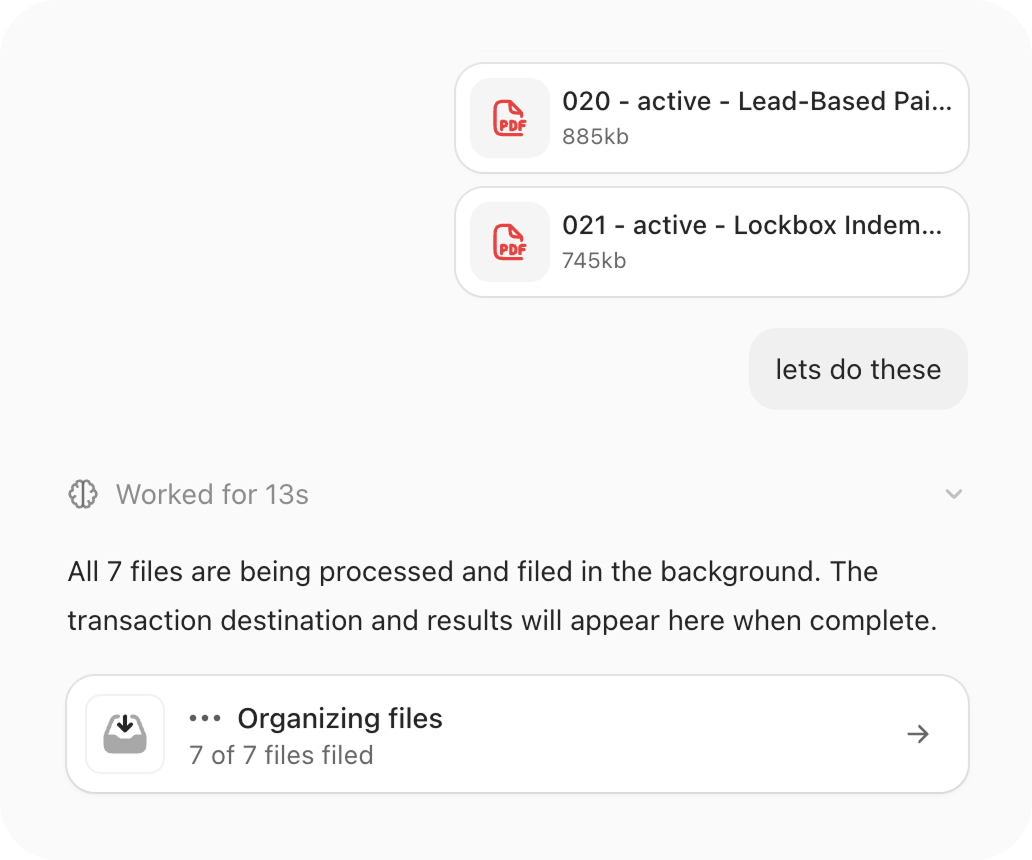
Connect Google Drive, Dropbox, OneDrive, SharePoint, or Box for the whole team or just yourself. Browse folders or search by filename, pick up to 100 files, and Joymore creates the transaction from them. The originals stay where they are.
Set up cloud sync automations that reference specific folders, dates, statuses, etc. to keep Joymore up to date with your files.
State compliant broker approvals
Official broker approvals, with tracked delegate access, are now a setting you can enable for your brokerage - and the rules come from your own knowledge.
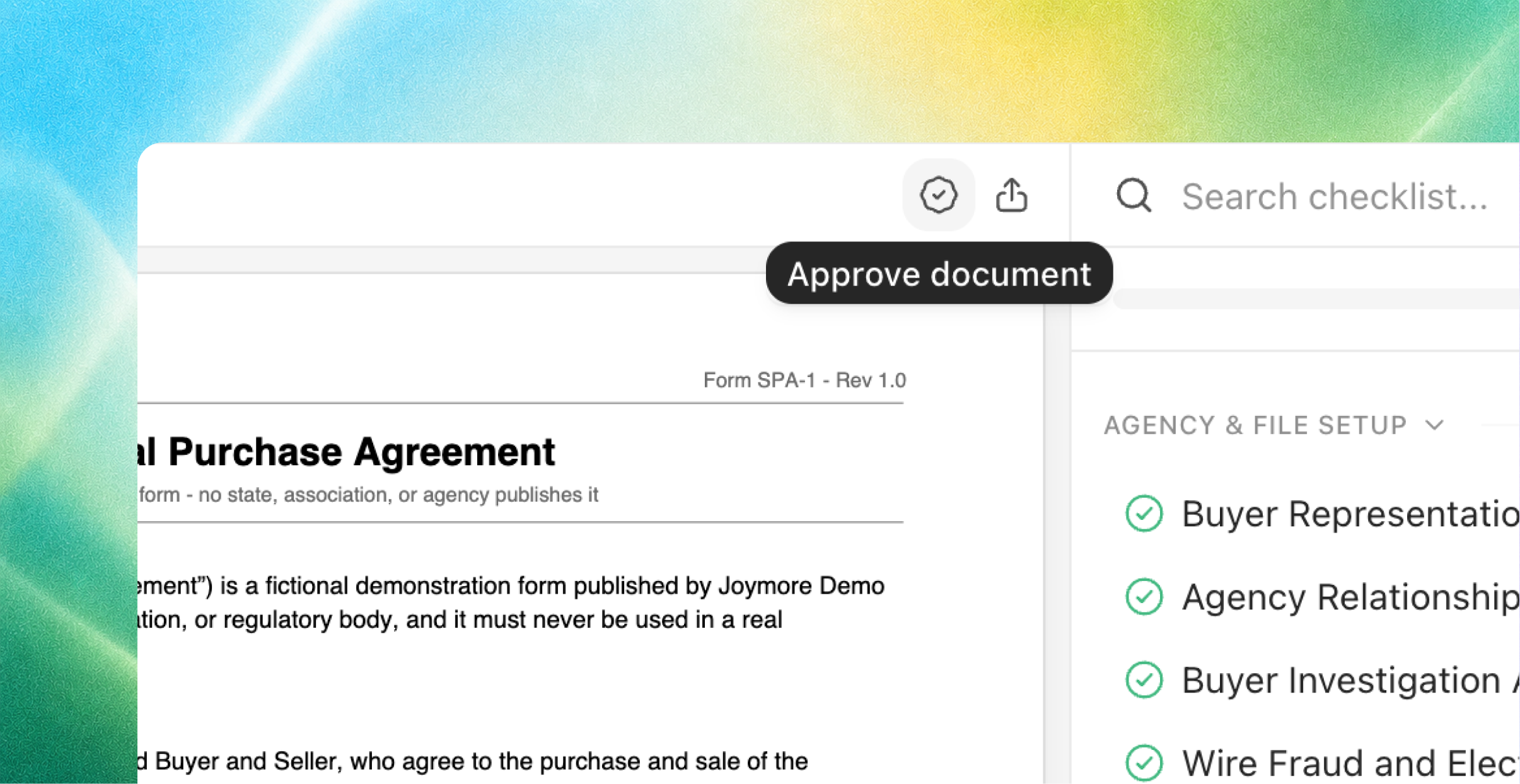
Opt in. Settings, Brokerage has a new Enable broker approvals switch. It is off until a broker turns it on.
Your policy, your deadlines. Start from our state guidelines and add your own approval requirements in plain language. Each compliance review turns them into the requirements for that file: which documents need approval, what satisfies each one, and when it is due.
Approve the document itself. The designated broker, or a review delegate, approves a document right where it is staged. The approval is recorded under their name and date. Set the designated broker and delegates on the state license under Brokerage settings.
Approvals in the record. The Activity tab can filter to Approvals, so every approval is easy to find later.
And that’s not all…
Smarter knowledge
Say who a checklist is for, in the document. Write it in plain language ("Use for Arizona residential purchases; listing files use the listing checklist.") and Joymore applies the right checklist to each file.
Better checklist matching. Joymore reads the full text of your checklists against each transaction: state, side, property type, financing, dates, and facts from the documents themselves. If two checklists could both apply and the facts cannot settle it, Joymore asks instead of guessing.
Short descriptions. Every knowledge document gets a one-sentence description so your team can find what they need at a glance.
Forms have their own home. Forms now live on their own Forms page with search, filters, upload, and detail views.
Reviews track your edits. Edit a knowledge document and the next review on each file uses the new text.
More automation improvements
We are continuing to build out our automations feature.
Activate means active. Turning an automation on always works. If a connected app is missing, Joymore tells you, and the automation starts running on its own the moment the app is connected.
Only after. A scheduled automation can wait for something to have happened: "Every morning, only after new documents arrived."
Run once. One-time schedules run once and show you when they ran.
Pick your events. Choose the exact events that trigger an automation right in the schedule editor.
Connected apps you can see. App triggers show the app, the event, and their status, and say so when something needs attention. Connected accounts appear by name.
Runs you can steer. Ask Joymore to cancel a run or show its full timeline. When a run stops to ask you a question, it picks back up the moment you answer.
Create your way. The Create button offers Create with chat or Create manually.
Roles, access, and your team
Four roles. Broker, Compliance, Transaction coordinator, and Agent. Brokers manage the brokerage. Compliance reviews files. Transaction coordinators and agents work theirs. A member can hold more than one.
Assign files. Every transaction has an Assignee, set from the cover sheet or the list and filterable as "assigned to me". Agents and transaction coordinators see the files they are assigned to or named on; brokers and compliance see everything in their offices.
Team, rebuilt. People and Offices tabs, an office page with its own people and licenses, one office picker everywhere, and a bulk Manage offices action.
Licenses in one place. Real estate licenses, association memberships, and MLS memberships for the brokerage, offices, people, and outside contacts live together, and you can edit them from Brokerage settings, an office or member page, or a contact card.
Compliance review
Faster re-reviews. A new document re-checks only the items it affects. Settled results stand.
Fewer false alarms. A passing check never opens an issue, and signature and execution findings get a second look from Joymore before they reach you.
One status per file. Each transaction shows one compliance status: reviewing, re-check scheduled, or up to date.
A register that explains itself. Requirements that do not apply yet sit under Not expected, and every document badge explains itself on hover.
Joymore in chat
Archive and restore. Ask Joymore to archive one file or fifty to the Vault, and to restore any of them. Ask it to move a misfiled document to the right file, or to archive a document and bring it back later.
Longer memory. Joymore reads back through long results and earlier conversation on its own.
Straight answers. Joymore tells you a request was filed or an action was taken only once it actually happened.
Steadier. Long conversations and big uploads no longer stall, and if a model is unavailable Joymore switches and keeps going.
Picks up where you left off. A tab left open across an update reloads itself and resends what you were doing. Transaction pages open their own chat.
Drafts land in the editor. Writing with Joymore inside a document puts the words straight into the editor.
Set your picture. Ask Joymore to update your profile picture.
People and parties
Every party is a contact. Buyers, sellers, agents, lenders, title, escrow, attorneys, and coordinators on the cover sheet are picked from Contacts, with New contact right in the row.
One listing agent row. Seller Agent and Listing Agent are one field.
Duplicates clean themselves up. Joymore merges obvious duplicate contacts, fixes companies recorded as people, and leaves uncertain matches alone.
Reply in place. Reply, reply all, forward, and text reply open a draft with recipients and subject filled in.
Activity and live updates
A feed you can read. Every event is one sentence with the person up front and the details as chips. Filter to User activity, Approvals, or All events.
Live, everywhere. Team, offices, licenses, automations, runs, and chats update the moment something changes.
Lists scroll. Every list scrolls instead of paging, and tells you if it could not finish loading.
API 1.0
The Joymore API is now 1.0, with 108 operations mirrored by the MCP server. New: file uploads, document intakes, creating and updating automations, transaction parties, document summaries, and access checks.
A key you own acts as you. An organization key acts for the brokerage. The MCP sign-in token also works as a bearer.
Breaking changes:
PATCH /members/{id}/rolebecomes/roleswith a list,PATCH /organization/autonomy-modeis removed, andPUT /transactions/{id}/participantsbecomesPUT /transactions/{id}/parties/{slot}with contact ids.
Fixes & improvements
Closing a transaction with an effective date works reliably.
Creating or duplicating a knowledge document from the dashboard works reliably.
Satisfied key dates on the cover sheet show a green check.
Failed sends and failed intakes in Mail stand out as alerts.
Dates on approvals are written out and never shift by time zone.
Keyboard and screen-reader access improved across rows, chips, editable text, and column resizing.
The Documents tab can show archived documents, and exports include them.
Documents View, Smarter Automations, and More.
Feature
Product Release
The Documents view
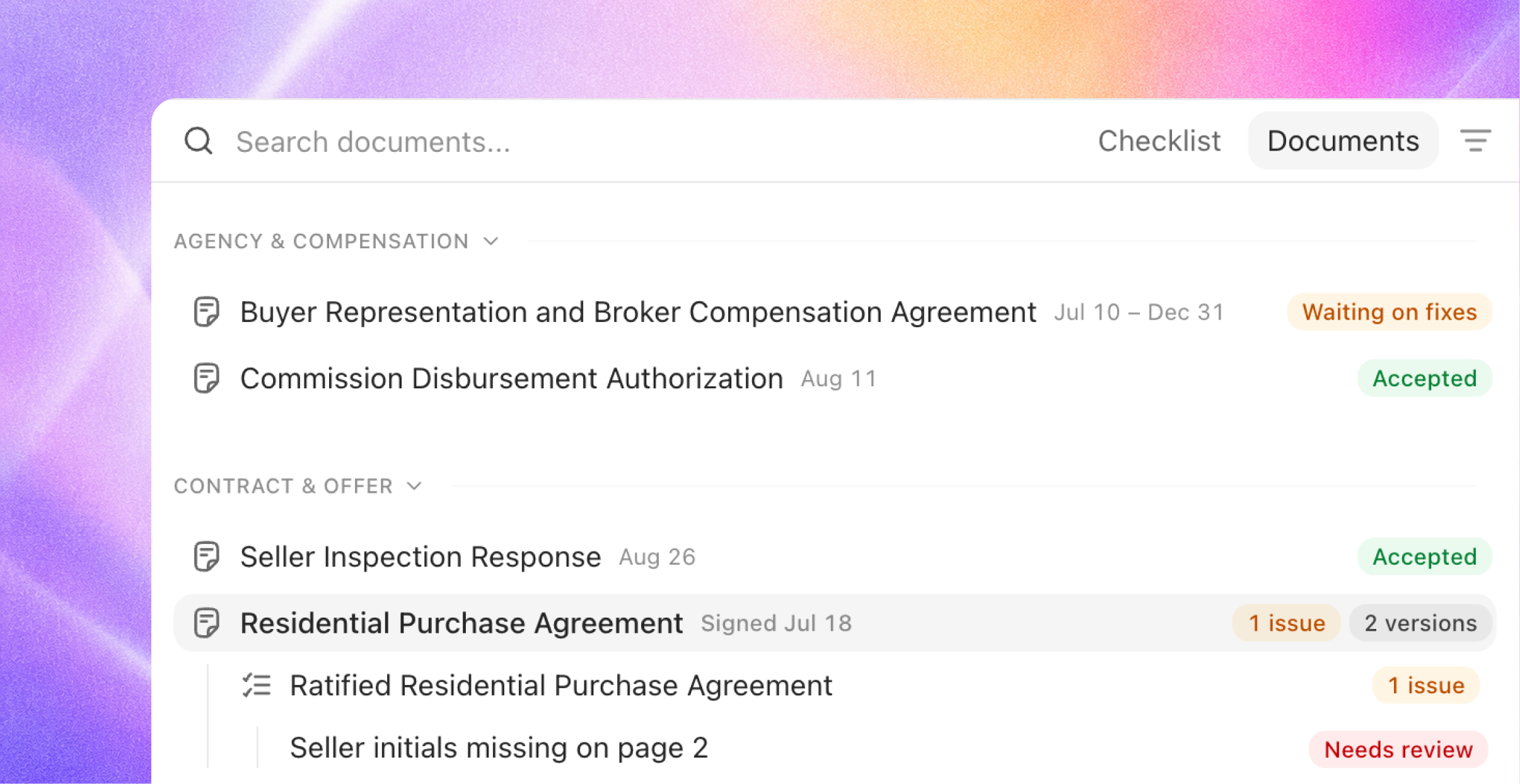
Compliance on a file now reads two ways. A new toggle in the compliance rail switches between Checklist and Documents: the same review, seen from either side.
Every document, exactly once. The Documents view lists each paper on the file a single time, grouped by category in the deal's arc: agency, contract, disclosures, inspections, financing, escrow and title, closing. The current version leads; prior versions sit one click away in each row's versions menu.
Requirements nest under the paper. Beneath each document sit the checklist requirements it answers, with the same status icons the checklist uses. The two views can never disagree; they are one dataset read from opposite ends.
Absence is visible, never noisy. Paper the file still owes appears under "Expected, not in file". Requirements that only apply in a later phase wait quietly as "Not expected until" that phase. Checks that aren't about any single instrument gather under "File-level checks".
Status at a glance. Each document wears one badge summarizing everything beneath it, worst state first: accepted, open issues with a count, waiting on fixes, failing, or not in file. Hover any badge and it explains itself.
Built for reading. Click a document and it opens alongside, with its issues nested beneath the row. No redirects, no surprises: the Documents view stages paper, and decisions still live where they always have.
Closing paperwork is now first-class along the way: closing disclosures, deeds, commission disbursements, and final walkthroughs are recognized as their own document types in a new Closing category.
Verdicts that show their work
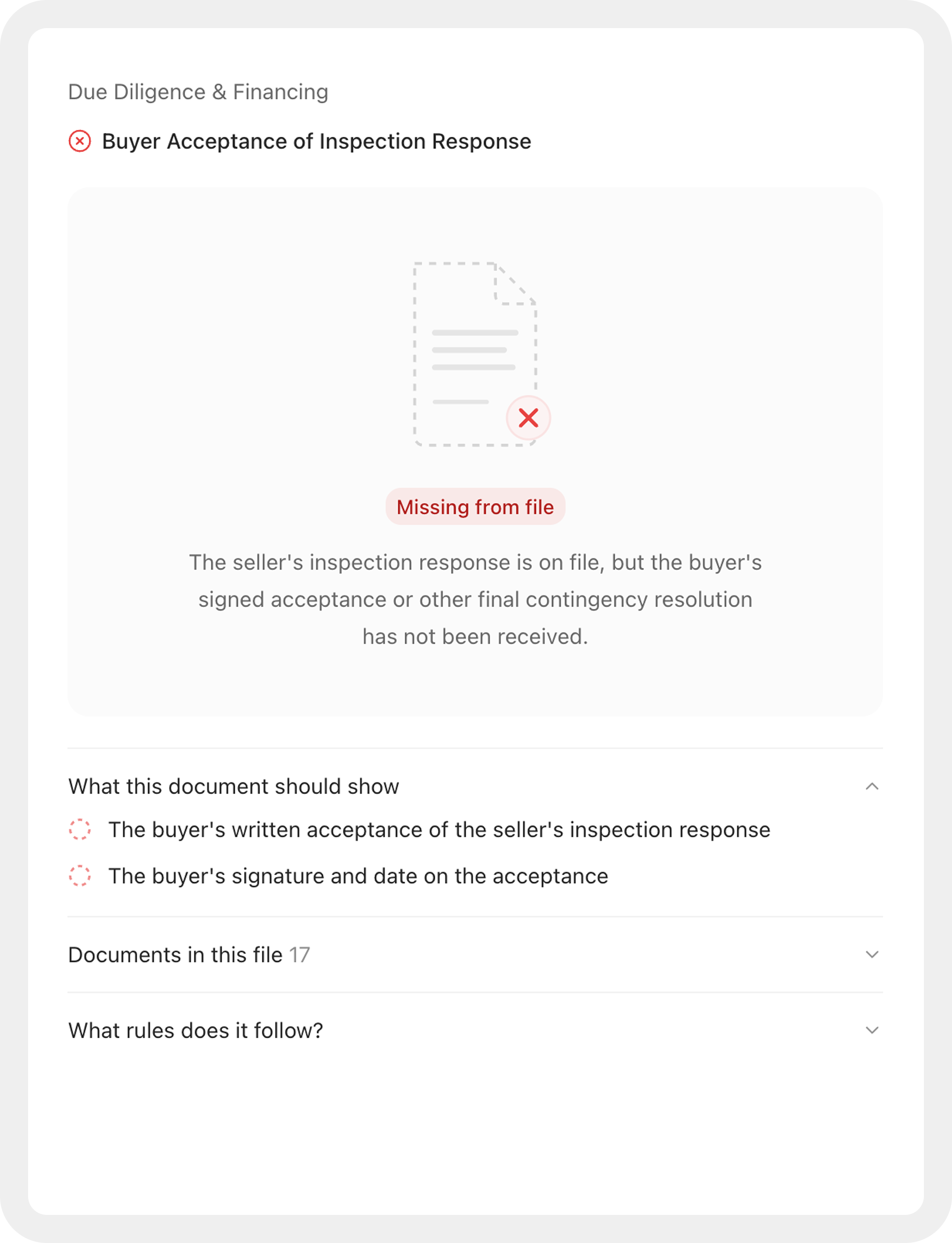
Every verdict names its paper. When Joymore marks a requirement satisfied or failing, it always cites the document that decides it and explains the call in plain language written for a broker, not a system log.
Satisfied items explain themselves. Hover a satisfied checklist item to see why it's satisfied: the reasoning, the deciding document, and if a person pinned the status, who and why.
Missing paper gets a real face. When a required document is absent, the file shows what's missing and what it would resolve, instead of an empty pane.
Progress you can trust. "Compliance in progress" now appears only while a review is actually running or new paper is about to be read. Files no longer sit in a permanent in-progress state after the work is done.
Automations, front and center
Automations moved out of Settings and into the main navigation, alongside Transactions and Communication. They earned the spot:
Run once. "Remind me tomorrow at 9" now runs exactly once, at that moment. One-time triggers are a first-class option in the schedule editor and in chat, so a reminder is never forced into a repeating schedule again.
The full lifecycle, from anywhere. Archive, unarchive, pause, and resume an automation in the app or by asking Joymore; the two can never disagree. Pausing no longer touches the trigger's configuration, and archiving stops connected-app listeners immediately.
Activation that finishes. An automation waiting on an app connection now turns on within minutes of the connection landing, and when something still blocks it, the blocker is visible instead of silent.
New means new. Asking for a new automation always creates one; an existing automation is only edited when you ask for that.
Triggers you can trust. The event picker offers only events that actually fire, and a connected-app automation starts listening the moment it activates.
Chat, quicker and steadier
Faster answers. Common questions, like where a file stands or what's happening across your book, are answered in one pass instead of a chain of lookups.
Uploads that hold up. Chat accepts files up to 100 MB, failed uploads say so instead of vanishing, a message never sends before its attachments are ready, and every attached file stays with the conversation, so a follow-up like "now run the review" sees all of them.
Stop means stop. Cancelling a response halts the work immediately, and approving or declining in the conversation resumes it right where it left off. Long-running jobs stay watchable live from start to finish.
Issues across the brokerage. Ask about open issues across every file, not just the one you have open.
Assign files in chat. Ask Joymore to assign a transaction to someone and it happens, even if they aren't on the team yet: Joymore adds the teammate and completes the assignment without leaving the thread.
A faster dashboard
The transactions list renders as soon as the first page arrives; the rest fills in behind.
The app boots with about a third of the JavaScript it used to ship, so first load is dramatically lighter.
Dark mode no longer flashes white on load.
Live updates arrive as per-row changes, so a busy brokerage's screen stays smooth.
One API for everything
The Joymore API now covers every entity in the platform: transactions, documents, checklists, issues, contacts, communication, automations, and the rest, roughly 95 operations projected from the same definitions the app itself runs on. The MCP server mirrors it one to one, so the AI tools your brokerage uses can work with Joymore through the same catalog. Organization API keys are scoped read-only; writes require member credentials.
Settings gained a Developer area to match: create and manage API keys, and follow quick-start guides for connecting Claude, Cursor, and other AI clients.
Fixes & improvements
One row per person on the Parties panel: a name written three ways no longer creates three participants, and spouses sharing an email are never merged into one contact.
A packet split into its individual documents no longer leaves the combined bundle in play on the file.
A blank signature line is never read as proof that a party hasn't signed, and signature checks got sharper across the review.
Facts and dates quoted from documents land more reliably, even when a value sits on a different page than expected or a scan breaks it across lines.
Assigning a file to a teammate no longer depends on whether their login is active.
Very large documents are handled as files in chat and no longer overwhelm a conversation.
An open email draft picks up Joymore's newer revision in place, and your own unsaved edits always win.
Files and reports delivered in chat now arrive after the explanation finishes, never mid-sentence.
Emails and texts Joymore drafts end cleanly after the content, with no sign-off naming the wrong person.
Team roster imports read large spreadsheets reliably, in every encoding Excel produces.
Interrupted background work recovers on its own within minutes instead of hours, and document intake never strands mid-read after a deploy.
Brief database hiccups retry silently instead of surfacing as errors.
Every toast notification can be dismissed by hand.
A completed review no longer leaves a stale "Not checked yet" on files that skip assessment.
"Back to app" always returns to a live page, never a dead link.
The document switcher is tighter and easier to scan.
Working with Joymore inside the document editor stays fast in long conversations.
Communication, Document Journey, Better Reviews & More
Feature
Product Release
Transaction aware communication
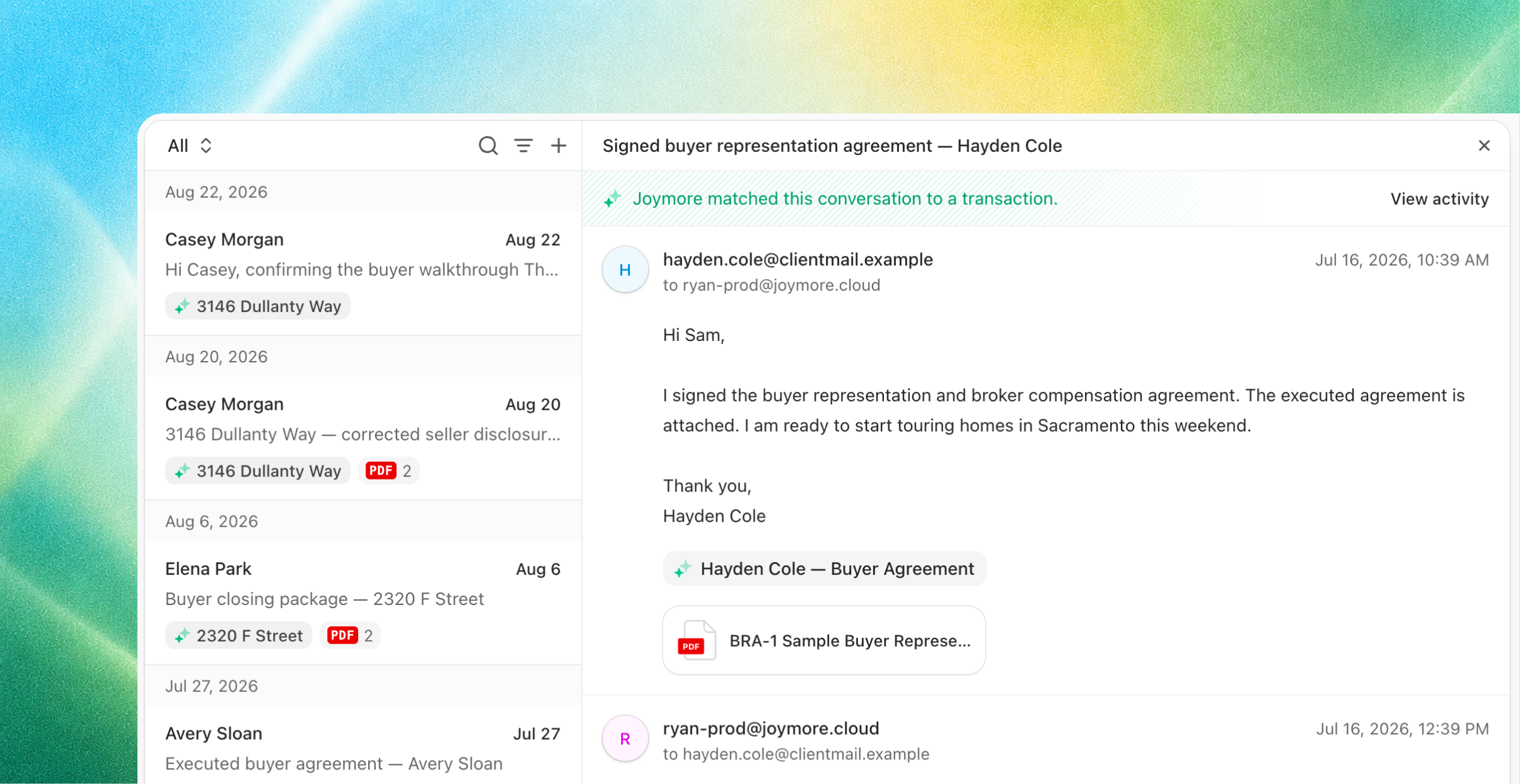
A new Communication view. Every conversation across all of your brokerage's inboxes in one list. Search it, filter by channel or inbox, and open any thread with the full history alongside.
Real folders. Inbox, Sent, Drafts, Scheduled, Archive, and All, in a sidebar with live unread counts. Inbox holds conversations with received mail; Sent holds your outbound messages still awaiting a reply, so neither buries the other.
Every thread shows its file. A conversation displays the transaction it belongs to, and whether it founded that file or was matched to it after the fact.
The same inbox on every file. Each transaction's Communication tab is the very same surface, pinned to that file: only its conversations, the same controls, nothing new to learn.
Emails that sound human. Everything Joymore drafts now follows one voice standard: concise and plain, written like a colleague, never like a system notification.
Refreshed contacts
"Maybe: Jamie · Lone Star Title." Joymore reads new conversations and suggests who the sender might be, from the message itself. One click accepts and creates the contact; dismissing is final. Joymore suggests, you decide.
Contacts got deeper. People now carry roles (a broker who also sells shows as both), per-state licenses, company affiliations, and a preferred way to be reached. Whether someone is actually reachable, by email or text, shows everywhere you pick people, and sends automatically respect opt-outs and each person's preferred channel.

The paper trail, organized
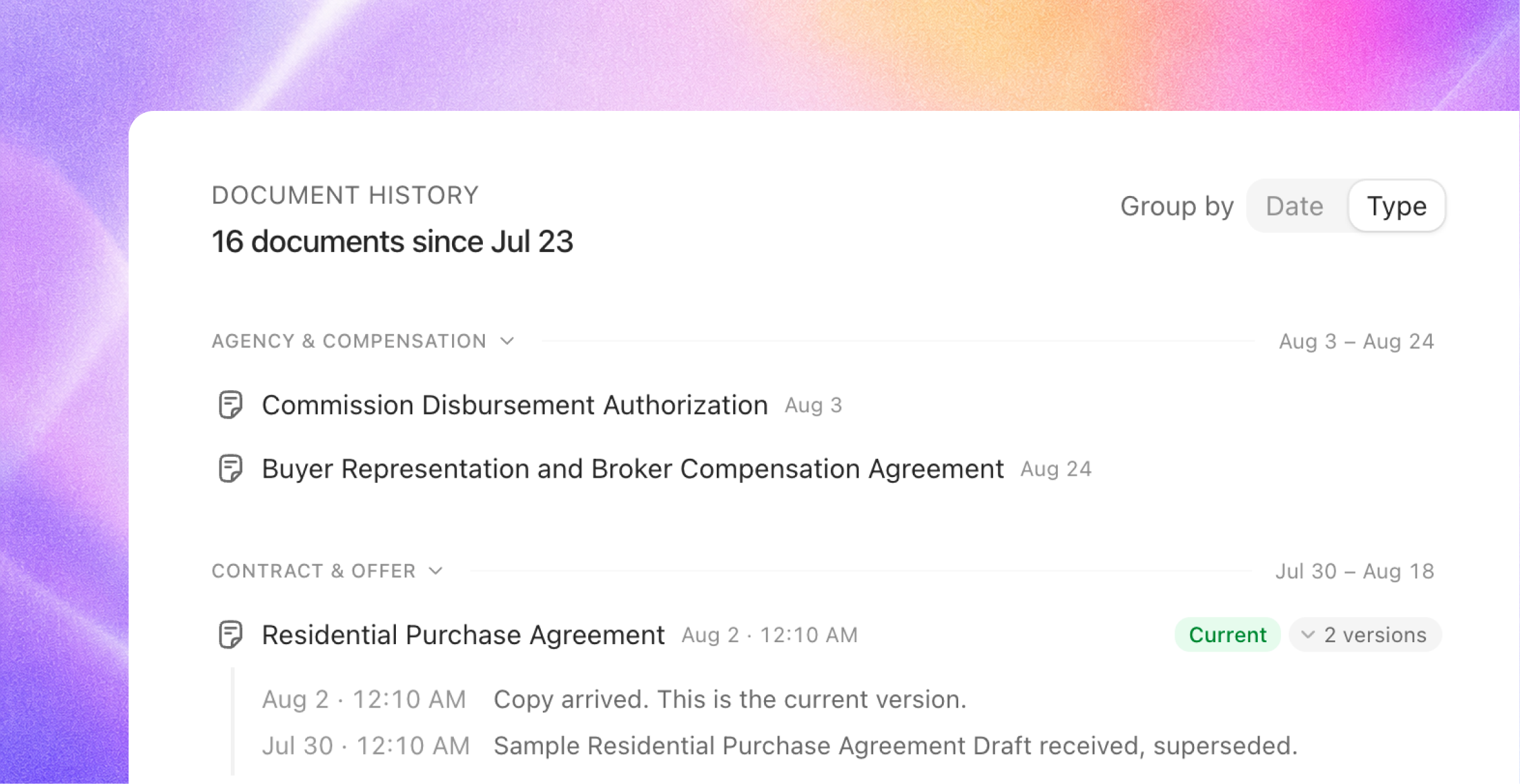
Document history, on the Overview. Every document on the file in one panel, grouped into folders that follow the deal's arc (Agency, Contract, Disclosures, Inspections, Financing, Escrow), newest first, each row dated by the instrument itself. Click any row to open the document in review; expand or collapse the whole history at once.
Versions read like history. Older copies nest under the current one behind an "N versions" chip, each described in plain words with its date ("Replaced Aug 2 · Earlier signatures") and struck through, while the live copy wears a Current badge. Amendments chain to the contract they amend, and a counter shows that it answers the offer.
Real titles, real dates. Documents now carry the instrument name printed on the paper, plus document, executed, effective, and expiration dates, all read from the pages and corrected as better copies arrive. Existing files get their documents re-read and filled in automatically after this release.
Questions instead of guesses. When the paper genuinely conflicts, say two signed versions disagreeing on the price, Joymore raises the question right on the file and waits for your answer instead of picking a side. Your answer is recorded as the controlling decision.
Handwritten changes, caught
Real contracts get marked up: a price crossed out and rewritten, a deadline amended in the margin. Reviews now read those alterations the way a seasoned compliance manager does:
The handwritten value governs. A struck-through term is dead. The live handwritten value drives the file's facts, dates, and checks, and a properly initialed change is treated as the operative term, never flagged as an "inconsistency" with the printed text.
Initials verified at the change. Joymore checks that every altered term carries all parties' initials, and dates where your checklist requires dated acknowledgment, and raises an issue when acknowledgment is missing, grounded in your checklist's own authority and the form's printed terms.
Proof pinned to the pen stroke. Findings on an alteration cite the exact region on the page, with a durable crop of the evidence, so you're looking at the change itself, not hunting for it.
A smoother review
See what's still processing. While Joymore reads new paper, a processing strip appears on every tab of the file, naming the documents not yet incorporated, one click from watching the work live. The overview keeps a single freshness pill (Checking now, Update queued, Up to date) instead of separate per-engine blocks.
Confidence that knows its age. During a re-check, checklist verdicts that could change soften with a "may change" hint, the cover sheet says when its facts were last read, and deciding an issue mid-check asks you to confirm first. Nothing is ever locked; you're just never misled by a confident stale answer.
New files tell their story. A just-created file shows Joymore's initial read from intake (what it found, its best guess) and the pipeline of what happens next, instead of a blank "determining" state.
Live reviews look alive. Opening an in-flight review always shows its live activity feed, so a running review never looks stalled.
Knowledge, maintained automatically
Your knowledge is the instruction layer Joymore manages, not another surface to administer:
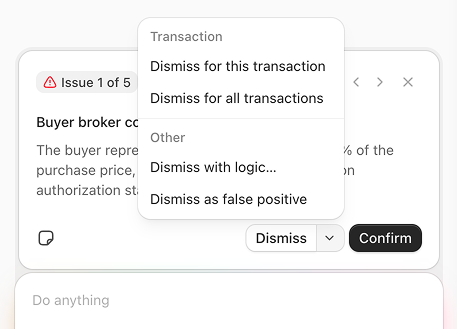
Dismiss once, or dismiss forever. Dismissing an issue now asks its scope: this transaction only, or all transactions, in which case Joymore updates your brokerage's rules in the background, with a progress toast and a link to what changed. Or dismiss with logic ("only dismiss when built after 1975") and Joymore encodes the condition into the rule instead of removing the requirement.
Edits apply directly. When you ask Joymore to change a rule, it makes the change, no separate accept/reject step to click through. Every edit lands in the document's version history, so nothing changes without a record.
Knowledge lives in Settings now. Along with Apps and Automations, it moved out of the main navigation; day-to-day work happens on files and in chat, and the rules are there when you want to inspect them.
Notes are for your team. The issue note field is now called "Internal team note" and reads that way: notes are collaboration, not AI training. Teaching Joymore happens through dismissals and chat.
Chat delivers real files
Ask for a spreadsheet and you get a real spreadsheet:
Excel and CSV with working formulas, PDF reports, zip bundles, plus Markdown, HTML, and plain text.
Files arrive as download cards right in the conversation, and can be attached to outbound email drafts.
Also in this release
Form libraries, visible in Knowledge. The state and publisher form libraries your brokerage uses now appear in the Knowledge library alongside your own documents, so it's always clear which official forms Joymore recognizes. Ask Joymore what's installed and it knows.
Text messaging is rolling out soon. SMS conversations appear alongside email, with message bubbles and a one-line composer. Replies are channel-aware: replying to a text sends a text.
Concessions, itemized. Seller contributions are read with their purpose and payer: closing costs, prepaids, rate buy-downs, discount points. A buyer-broker fee never disappears into one lumped number again.
Report an issue without leaving chat. Tell Joymore something's wrong and, with your approval, it files the report straight to our support team with the context attached.
Tell us how it's going. Rate any response with a thumbs up or down, and Joymore will occasionally ask how a conversation went. Every rating lands directly with our team.
Fixes & improvements
Compliance results no longer go stale: when a re-read corrects the file, the assessment always refreshes with it.
Checklist items no longer present a suggested document as if the required paperwork had arrived; rows show only real matches.
Guidance for sale agreements now lands on the correct checklist item.
Asking for a review when nothing has changed returns the latest results instead of re-running the whole review.
When a date changes, every deadline calculated from it is marked as recalculating instead of quietly showing the old value, and a recalculating date never fires reminders.
Financing terms written as prose on the contract now read into the file correctly.
Joymore knows which page and document you have open when you chat, so "summarize this" just works.
Background work, like document intake, can now raise a question to your team when it hits a real decision, and those questions stay in the app.
A document that fails to download from a provider no longer stalls intake; Joymore notes the failure and keeps working.
You're no longer notified about transient background hiccups Joymore recovers from on its own.
When a message can't be sent, the refusal names exactly which recipient is unreachable, instead of a generic error.
Chat messages send and display exactly as you typed them; pasted text no longer sprouts stray backslashes or escape artifacts.
Seller representation is now labeled "List side" instead of "Sell side", matching standard industry wording.
Extracted contact fields can now be edited, not just added.
Chat history now lives on the Chats page.
Chat's corner controls are always visible, no hover required.
Attachments in chat render as clean file cards; images keep their thumbnails.
Transaction pages no longer flash or reload the document when a review starts streaming, and live updates render noticeably smoother.
The Communication page no longer opens a chat on arrival; chat opens when you ask for it.
Browser tab titles now lead with the page name, so Joymore tabs are findable in a crowded browser.
The actions menu on your own row in the People grid no longer opens empty.
Old bookmarked inbox links land gracefully instead of erroring.
Fixed rare "Forbidden" errors that could lock a single user out, typically right after a deploy.
Activity records for long-running work no longer cut off partway through, and no longer sit hours behind the work itself.
A file with no matching checklist is no longer a dead end: it explains which checklists were considered and why each didn't apply, you can link the right one yourself in a click, and the file's documents stay visible either way.
A brokerage's only checklist now applies to its files instead of being skipped on a technicality, and checklists created with Joymore in chat produce real checklist items.
Closed transactions appear on the transactions list again when filtering by status.
Buyer Agreements, Document Sharing & Smarter Knowledge
Feature
Product Release
Joymore Compliance 2.0 rebuilt the review around the deal. This release extends the deal in both directions: to the representation that exists before any property does, and to the people outside your brokerage who need the finished paperwork.
Also, knowledge became even smarter: write down how your brokerage works, and Joymore takes it from there. Chat got dramatically faster, too.
Buyer agreements, first class
A buyer representation agreement has never fit transaction software. It arrives before any property exists, it covers every purchase the buyer makes during its term, and it expires quietly in the background. Joymore now treats it as what it is: representation, not just another document.
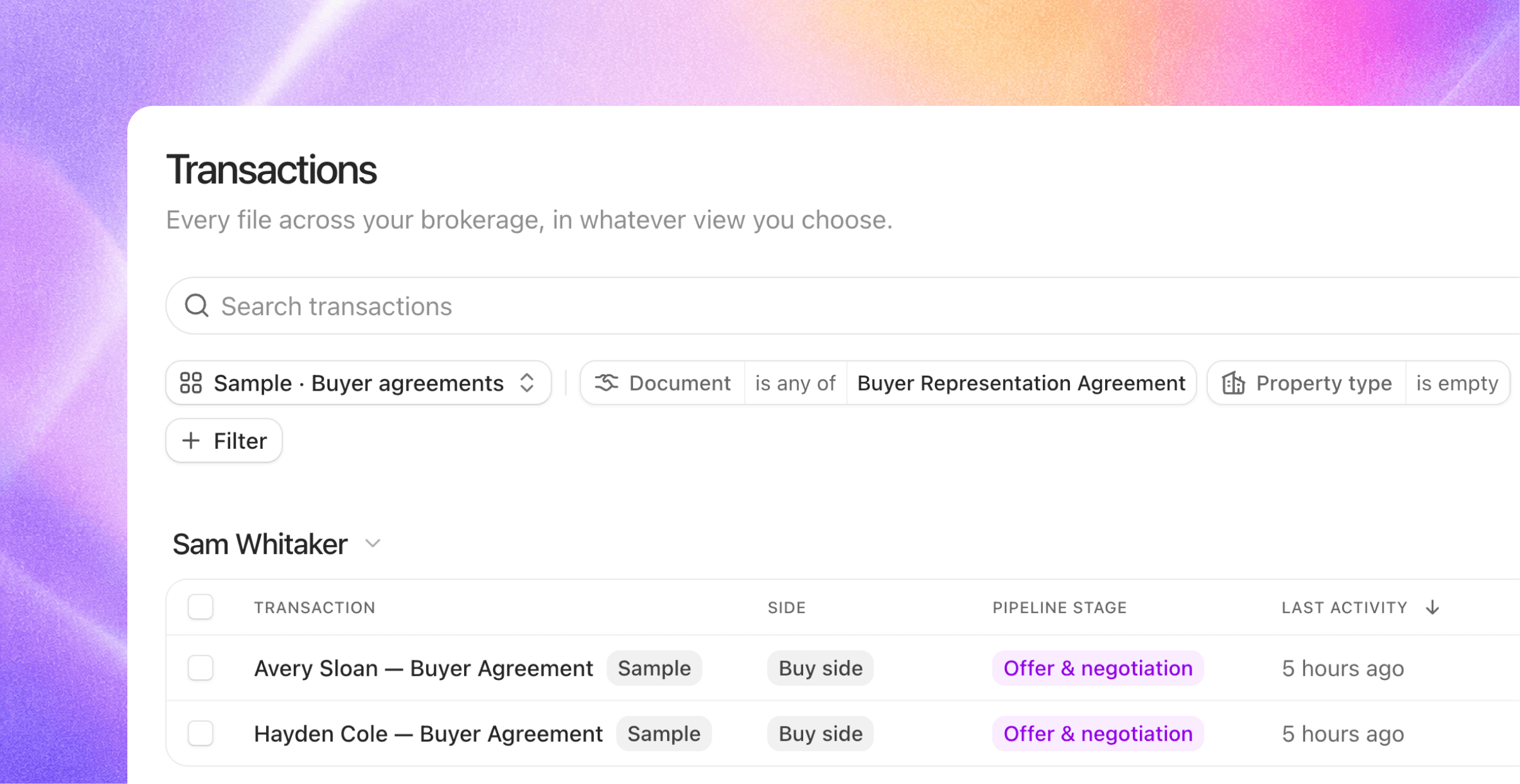
A real home from day one. Forward a signed buyer agreement with no property on it and Joymore founds an engagement file for that buyer: a genuine transaction file, just without an address yet. When the buyer goes under contract, that same file becomes the deal file. No parking lot, no fake transactions.
One agreement, every deal. During its term, the agreement follows the buyer. Sign one and Joymore links it onto the buyer's open files automatically; open a new file for a represented buyer and their standing agreement is already attached. It works in both directions, and the original always stays where it lives.
Term status on the cover sheet. Every file shows where representation stands: in term, expiring soon, or expired, always read from the latest agreement on the file. An expiring term surfaces alongside your other key dates while there's still time to renew, and an expired one warns you without ever silently changing the file's status.
Reviews check before they flag. Before raising a missing buyer agreement issue, Joymore searches the buyer's other files for an agreement that covers the deal.
Share documents beyond the brokerage
Completed paperwork has an audience your login can't reach: lenders, co-op agents, attorneys, clients. Sharing is now a first-class state on every completed document.
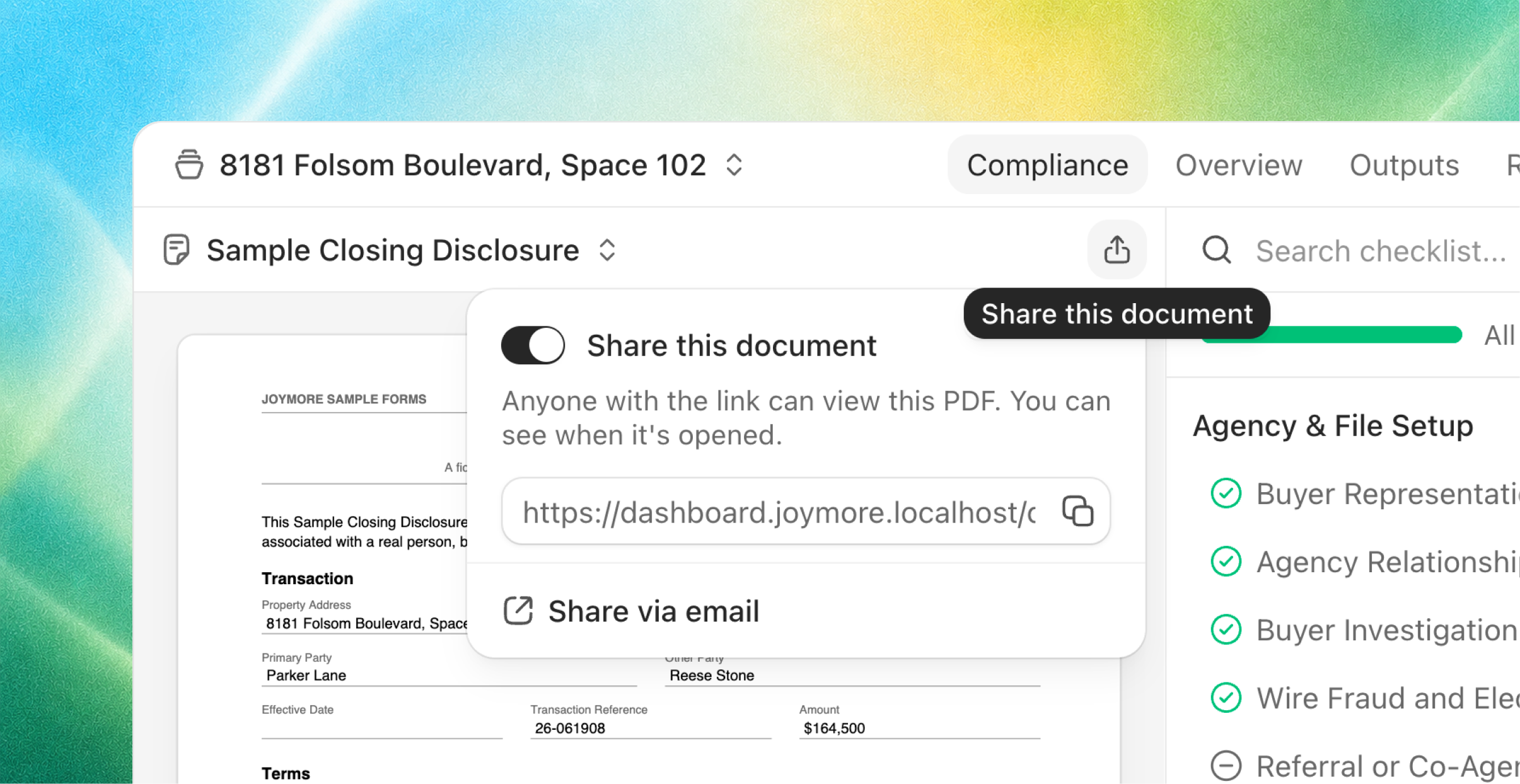
One switch, one link. Flip Share on in the document view and copy the link. Recipients get a clean, branded page with the document, the property, and your brokerage's name. They can view and download, no account required.
One live link per document. Everyone you send it to gets the same link, and revoking it kills it everywhere, instantly. Re-enabling sharing mints a brand-new link, so anything that leaked stays dead.
Pinned to what you shared. The link always shows the exact version you shared. A corrected version arriving later never silently swaps what the outside world sees.
Or just ask. Tell Joymore to send the settlement statement to the lender and it enables the link and drafts the email around it, for your approval.
Email drafts grew into a real composer. Every email Joymore drafts, whether it's sharing a document or chasing a signature, now opens in one full composer. Edit the body, drop any proposed recipient, add anyone by plain address; recipients don't have to be contacts. Approve it and Joymore sends it, or copy the draft and send it from your own email. As always, nothing leaves without you.
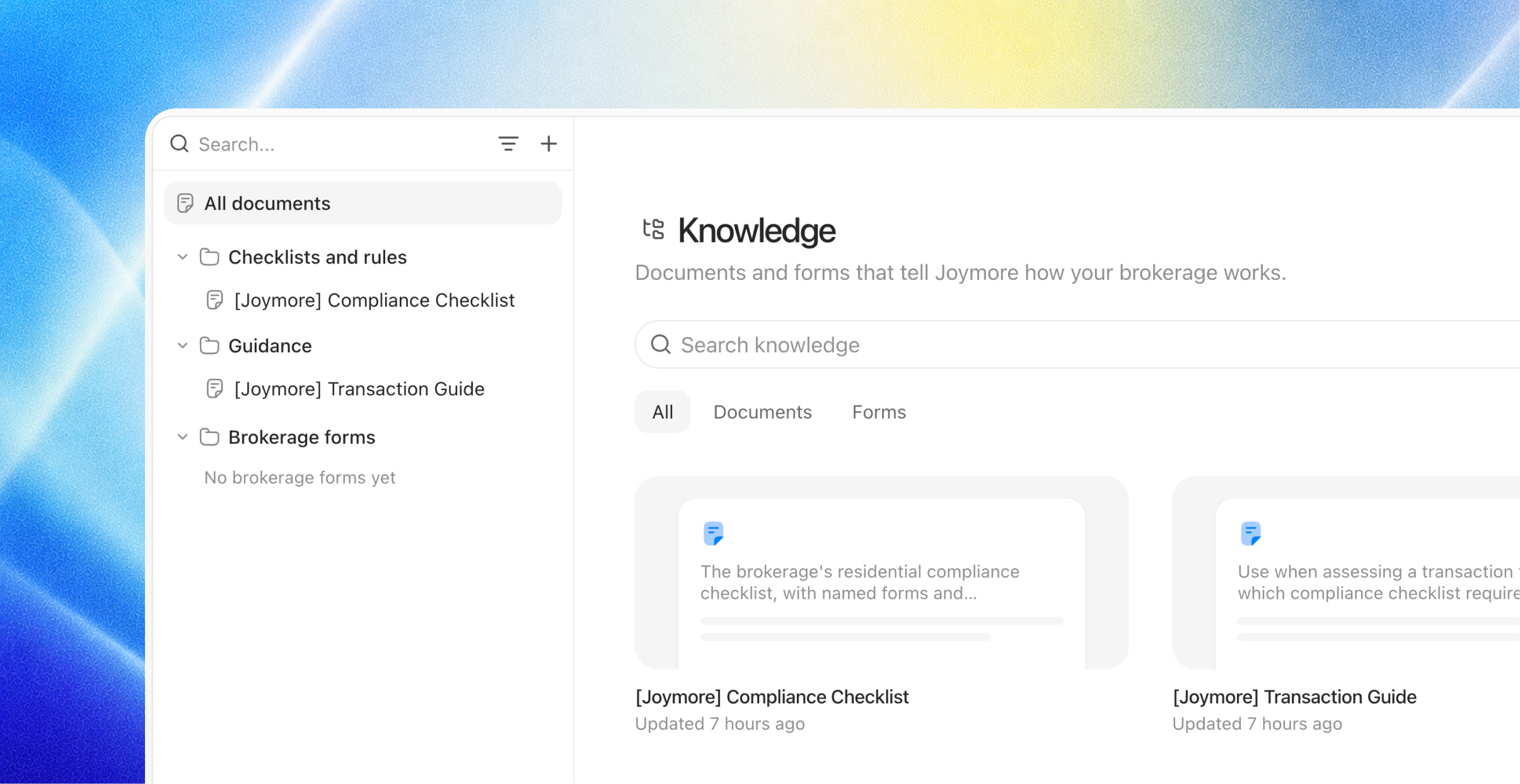
Knowledge: teach Joymore how your brokerage works
Customers kept asking the same question in different words: how do I change the way Joymore drafts emails? The tone, the phrasing, what things are called. The answer has always been knowledge, and this release makes it a solid answer.
Write it like a briefing, not a configuration. Add a document the way you'd brief a new hire: "How we write client emails." "What we call our offices." "When to loop in the broker." Plain language, your words, no special format. Since every knowledge document is just a document, there's nothing to classify and no type to pick.
Never think about when it gets picked up. You don't wire documents to features or set rules for when they apply. Joymore does that work behind the scenes: your email guide shapes its drafts, your review standards shape its checks, each exactly where it's relevant and nowhere it isn't.
Change it anytime. Knowledge documents are living documents. Edit one, in the library or by asking Joymore, and the change takes effect everywhere that document matters.
Fixes & improvements
Answers to questions Joymore asked from background work now always find their way back to it.
Checklist item details open cleanly even before any evidence is pinned.
Several files can be reviewed at once; they no longer queue behind each other.
First load is noticeably faster, and live updates reconnect more gracefully after a connection blip.
Brief database hiccups now heal themselves instead of surfacing as errors.
Filter menus understand plain words: typing "deadline" finds the key-date filters.
Hover actions on your chat messages stay put while you reach for them.
Chatting about an automation no longer switches the page out of the view you were in.
Broken or outdated links land on a proper page with a way back, instead of a blank screen.
Joymore Compliance 2.0
Feature
Product Release
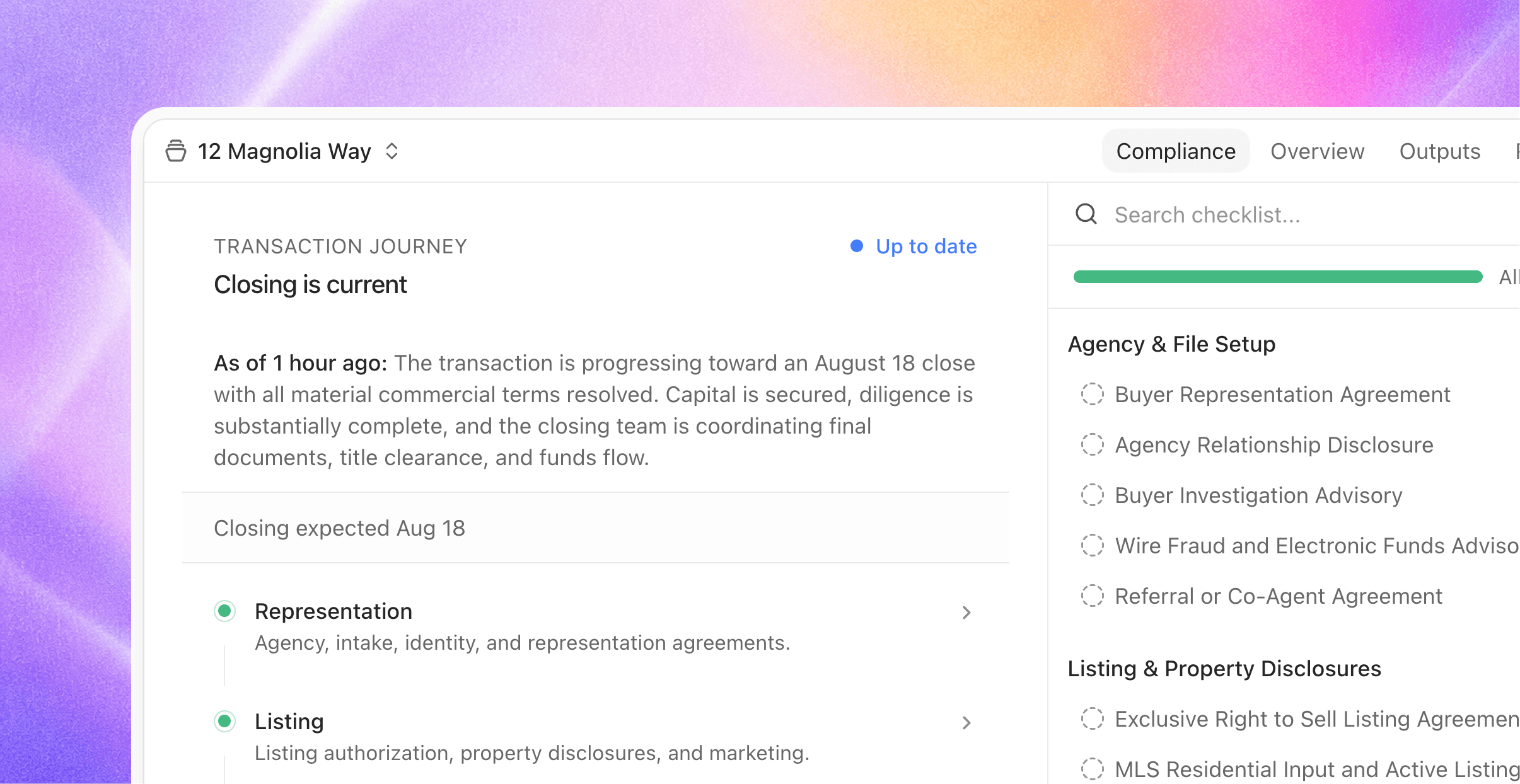
Joymore launched with a simple contract: forward us your paperwork and every document gets checked against your rules. Joymore 2.0 rebuilds everything around that check. Joymore now understands the deal itself: not only what kind of transaction it is, but where it stands in its journey, which requirements apply right now, and which dates come next. This is version two of transactions, top to bottom.
Every file, understood
Joymore now studies each transaction the way a seasoned compliance manager reads a file: the paperwork, your checklists, and the guidance behind them, all together. It writes down the situation in plain language, places the file in the correct stage, and determines which requirements actually apply.
That understanding stays fresh on its own:
New documents, recorded facts, or a passed deadline trigger a fresh read. Routine bookkeeping never does, so files aren't churning.
Edit a checklist, or the guidance behind it, and every open transaction quietly re-assesses against the new rules.
The overview shows when the file was last read and what's happened since, so you always know how current the picture is.
New files get their first read the moment they're created. There's never a blank page.
The journey, on every file
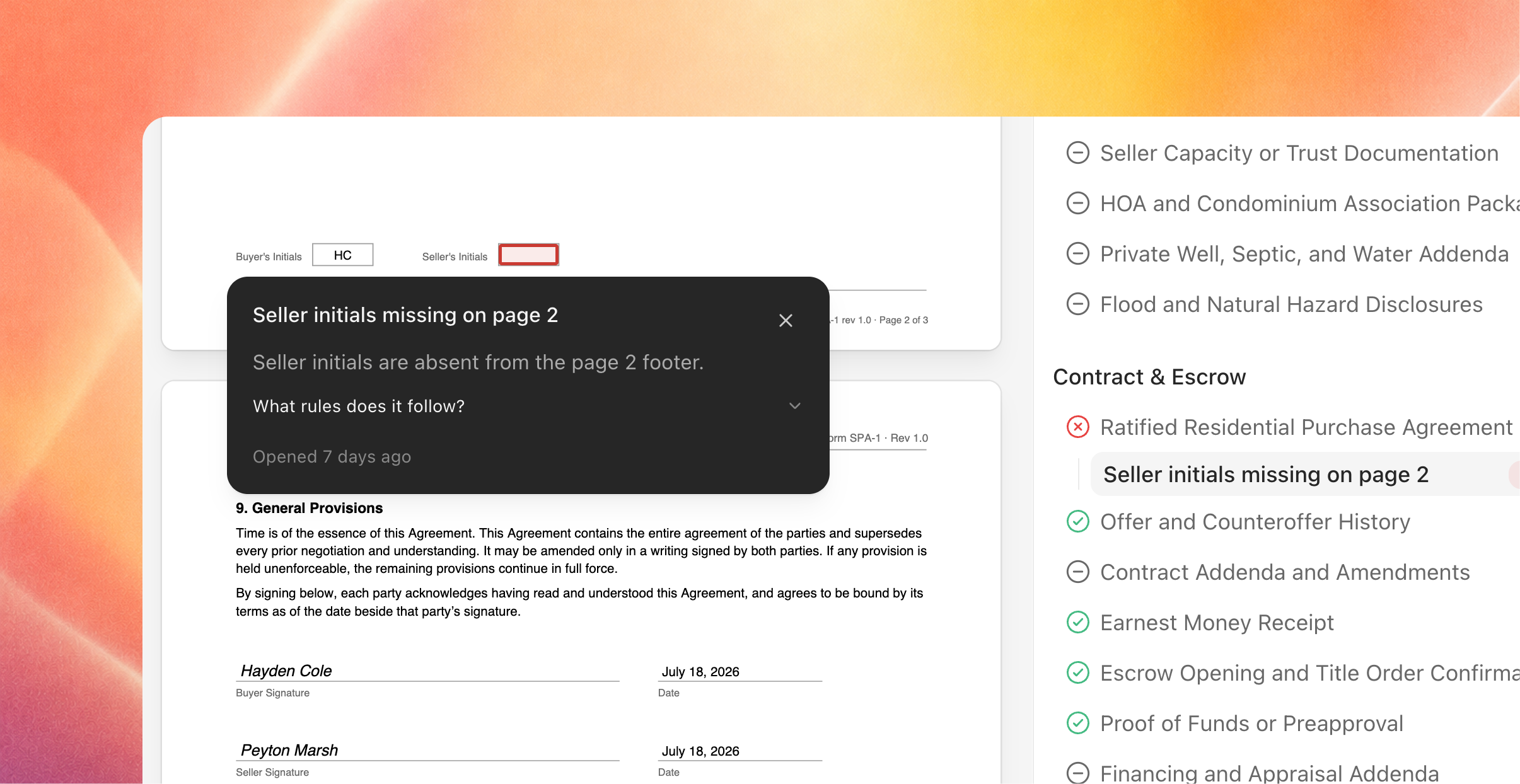
Every transaction now shows its journey: the stages behind it, the phase it's in, and what's ahead, with decision progress in each phase and the expected closing date drawn from the file's own dates.
Key dates that run the deal
Joymore now tracks the dates a deal actually runs on: acceptance, inspection and objection deadlines, earnest money, possession, closing.
Dates are read from the documents themselves, with the evidence pinned to the exact page.
When an amendment moves a date, the new one supersedes it and the history stays.
You're notified while there's still time to act, and again if a deadline passes unmet.
Edit any date right on the cover sheet. Your corrections always win.
Dates aren't just displayed, they drive the work: reviews verify the file against them, and the transactions list can sort and group by what's due next.
A checklist that knows what's required, and when
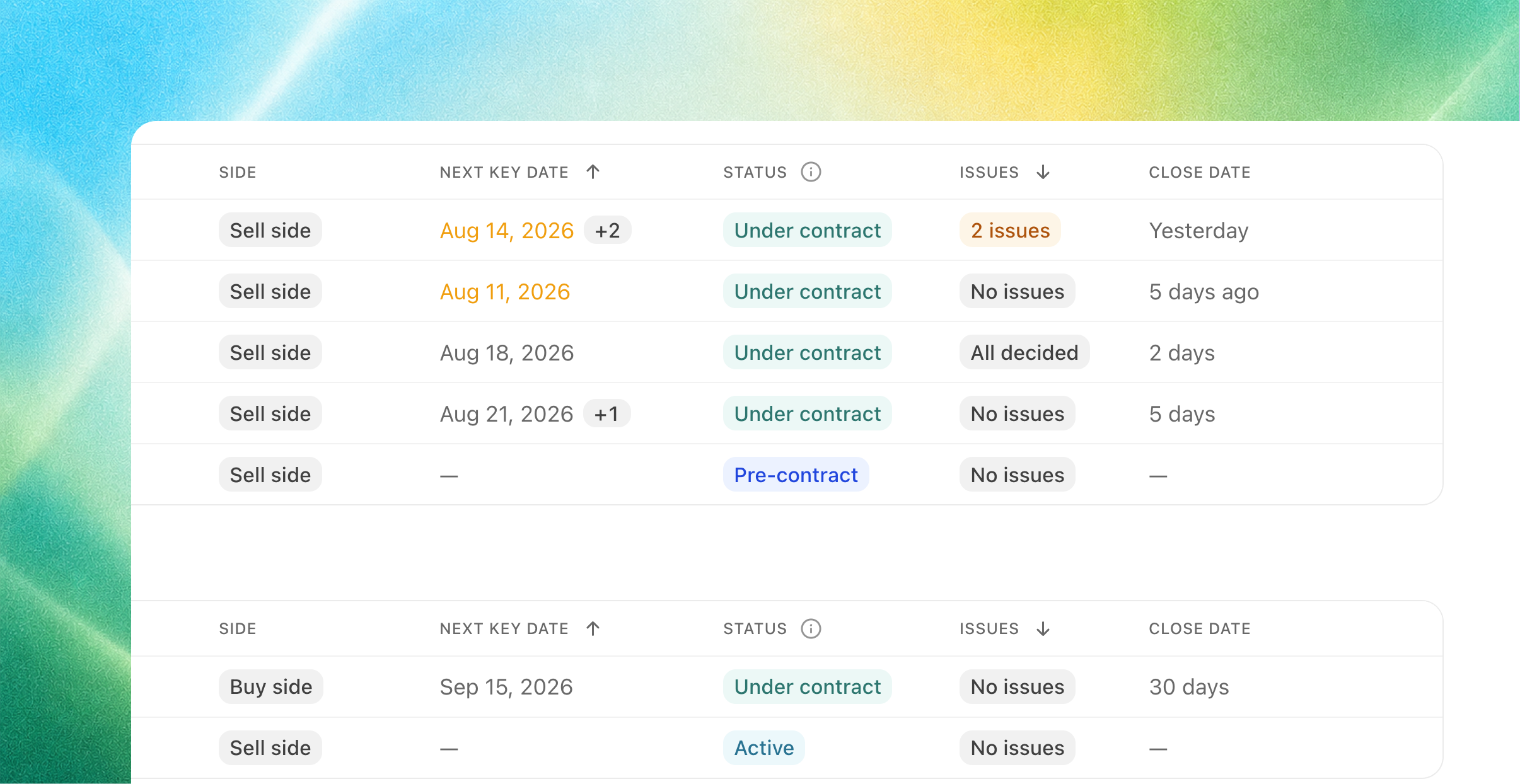
Checklist items now switch on and off with the deal. A requirement that only matters after going under contract shows as Not required yet instead of nagging from day one, and turns on by itself when the file gets there.
Documents, findings, and issues anchor to their checklist item, so evidence and history stay attached across reviews.
The compliance rail leads with what needs you: Needs your decision, Waiting on others, Waiting on info, with the full checklist always beneath.
Reword a requirement and only that item gets re-checked. Nothing else churns, and nothing loses its history.
Reviews end in decisions
When a review surfaces issues, Joymore walks you through them right in chat: one issue at a time, with the evidence alongside. Confirm, dismiss, or mark a false positive; add a note for the record; change your mind any time, even after the fact. When you're done, Joymore reads the tally back and proposes follow-ups only for what you actually confirmed.
Views built for operations
The transactions list is now yours to shape:
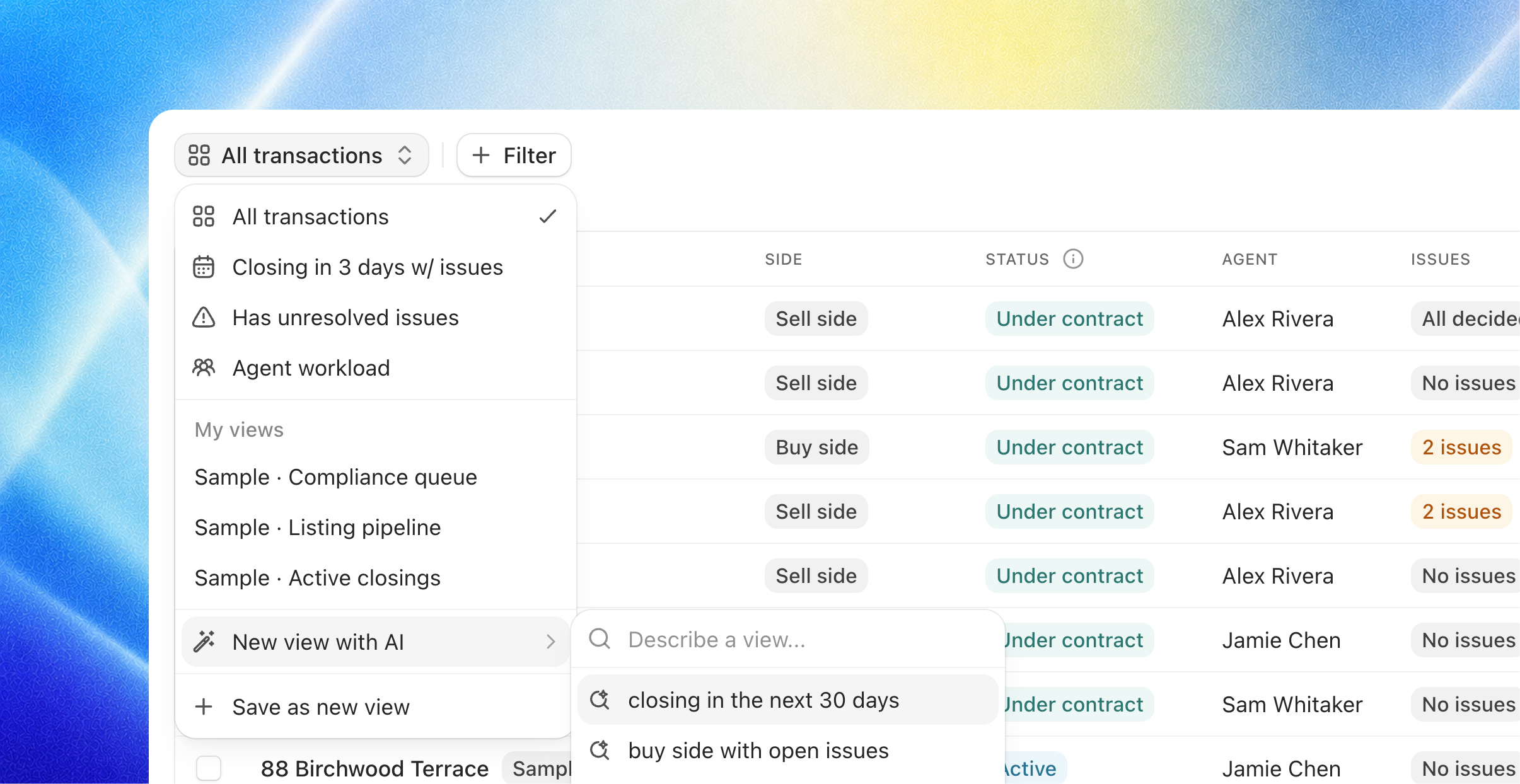
Filter, sort, and group the list, then save it as a view. Keep it yours or share it with the team.
Or just describe it: "active files closing in the next two weeks with unresolved issues" becomes a view, built by Joymore.
A new Issues column shows decision progress on every file.
Also in 2.0
Knowledge, simplified. No more choosing between checklist and playbook types. Every knowledge document is just a document; mount it to transactions and its items become the checklist.
Automations wake on app events. A trigger from any connected app (a label in Gmail, a completed signature, a new row in a sheet) can now start an automation.
Brokerage identity. Record your brokerage's legal name and license number, and each member's license. Joymore treats a license number printed on the paper as the strongest proof of which side you represent.
Audit tab. The complete event record on every transaction, with a toggle for system-level events.
Transaction switcher. Jump between files from the header, sorted by what needs attention.
Fixes & improvements
Reviews wait for arriving documents to finish processing, then run once.
A review never re-triggers on activity it already covered.
Switching documents shows the page instantly, and large lists got much faster.
Scanned pages render right-side up.
Document names with special characters download correctly.
Automation schedules read in plain words, never cron syntax.
Cmd-click anywhere in the navigation opens a new tab.
Saved column layouts always reveal newly shipped columns.
If Joymore asked you a question and the answer got lost in transit, it's redelivered automatically.
Real-Time Compliance & Approval Controls
Feature
Enhancement
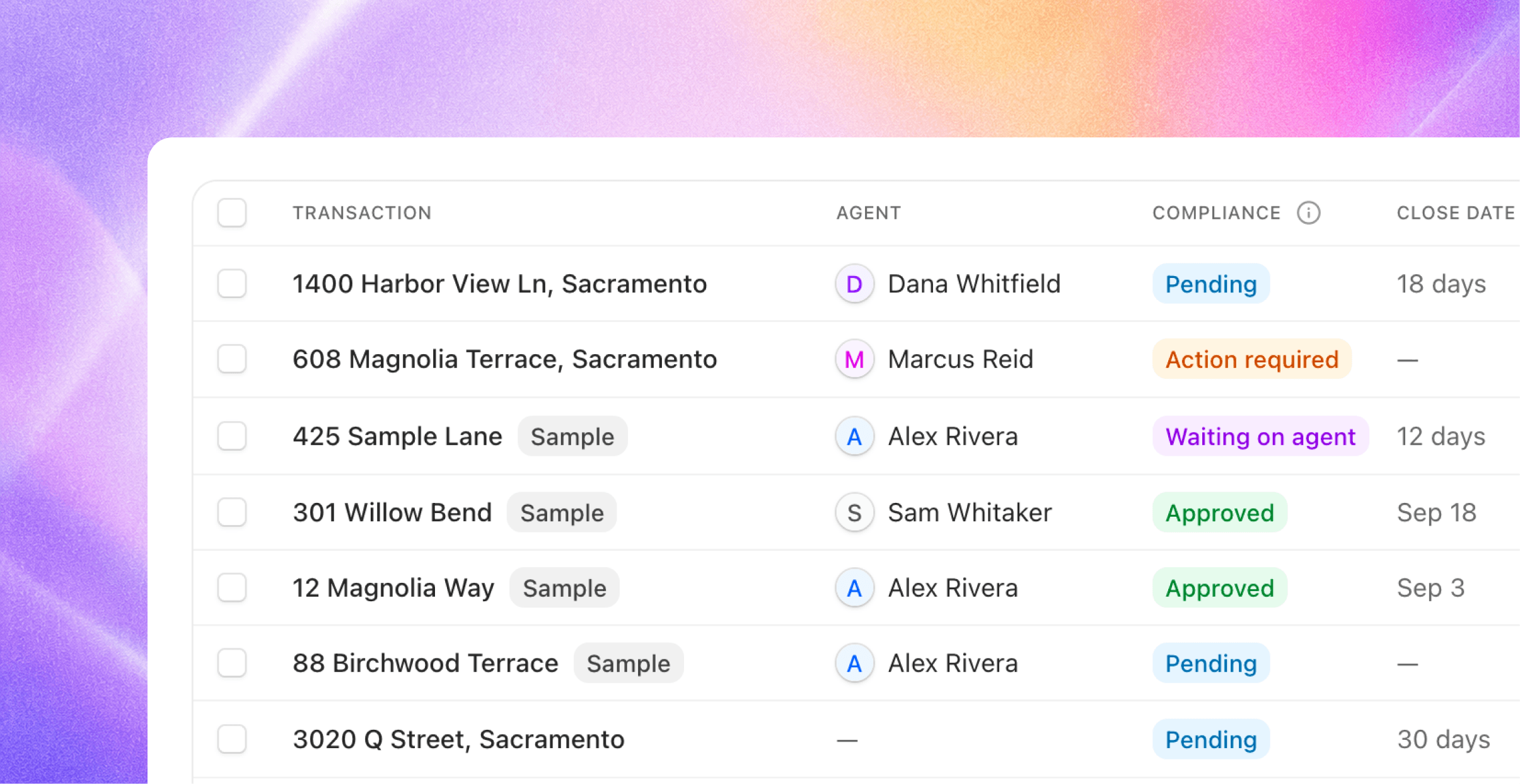
Compliance reviews now run themselves the moment new documents arrive, and every status on the file (compliance, checklist items, issues) is yours to control.
Reviews that run themselves
You no longer ask for a compliance review. Whenever new documents land on a transaction, whether from a forwarded email or an upload, Joymore reviews the file and updates its state on its own. A burst of documents settles into a single pass, so a packet arriving page by page gets one clean review, not five noisy ones.
Every transaction now shows its review freshness right on the overview: whether a review is running, when the file was last reviewed, and whether new activity has arrived since.
A compliance status you control
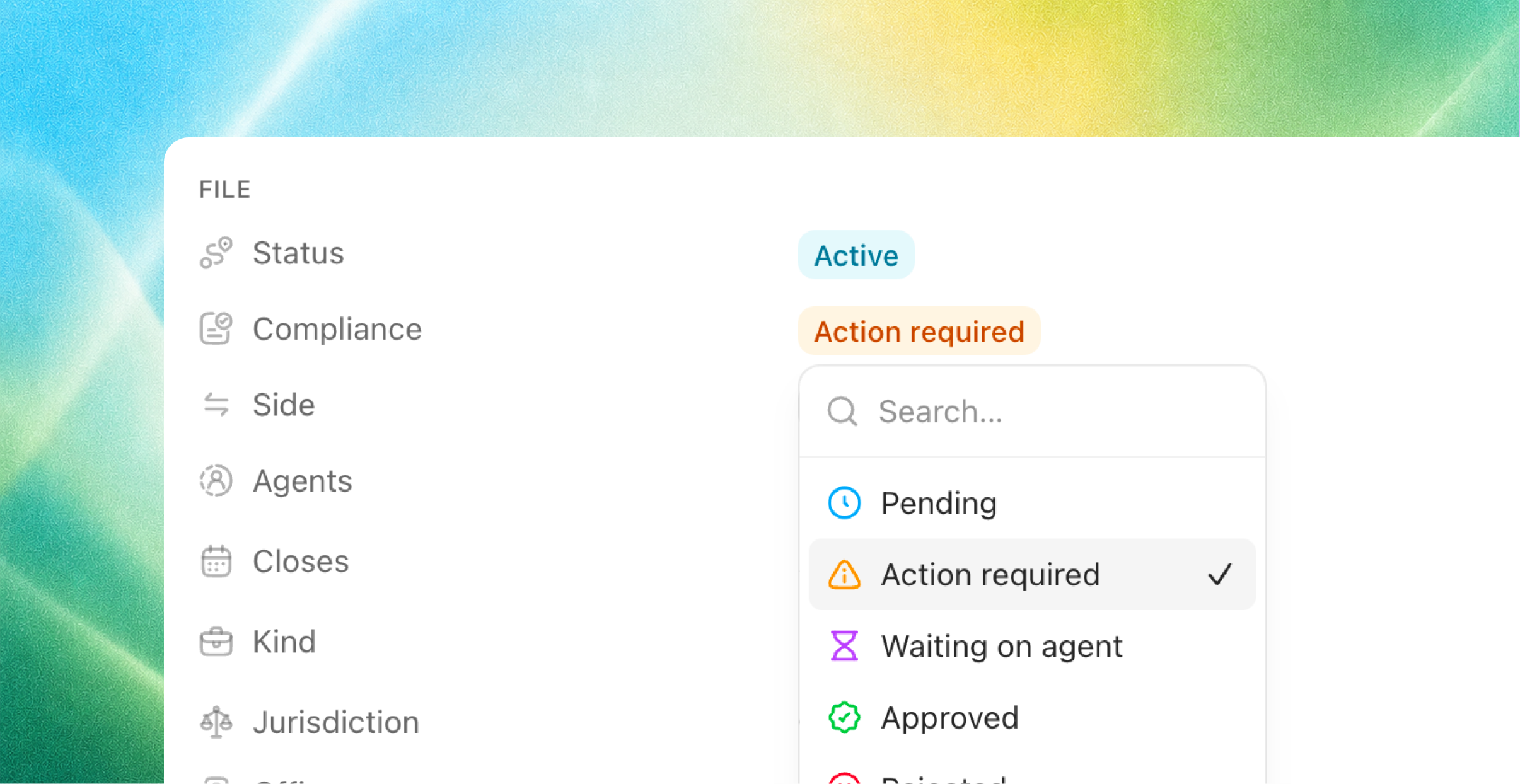
Every transaction carries a new compliance status: Pending, Action required, Approved, or Rejected. Attribution is always clear, showing who set it and when: your brokerage, or Joymore.
Set it directly from the file's overview or the transactions list.
Once your brokerage approves a file, the agent will never override that call.
If new issues surface on an approved file, the person who approved it is notified. A locked green badge should never hide new problems.
The Vault shows the settled verdict on every file, because that's what audits ask for.
Checklist and issue statuses, in your hands
Change any checklist item's status right from the list, the status icon is the control.
Your overrides are sticky. Future reviews respect your call instead of re-flagging it, and one click resets an item back to the agent's conclusion.
Decide issues directly inline from the row, or even reopen a decided one. Settled issues dim so open work stands out.
The agent works these same controls when it makes sense: finishing a review updates the compliance status, and a corrected document satisfies its checklist item. But human decisions always win.
Edit any transaction detail in place
Every field on the transaction cover sheet is editable in place: representation side, transaction type, jurisdiction, office, key dates, every property fact, every term, and the parties on the file. No matter who makes the change, everything stays in sync.
Fixes & improvements
Improved transaction detection. Incoming documents now match to the right existing file far more reliably, so duplicate transactions rarely get created in the first place. And when files do need tidying, select multiple transactions to merge or archive them in bulk.
Multi-form packets are detected and split into their individual documents more reliably.
Documents from an agent's personal or secondary email address are now accepted safely and attributed to the right agent. The same goes for forwarded transactions, which no longer stick to the forwarder.
The agent column reflects your team directory: the other side's agent is never listed as yours, and when a file's side is unclear, Joymore asks your team instead of guessing.
Checklists can express conditional requirements in plain English ("lead-paint disclosure only for homes built before 1978") and reviews apply them per property.
Email signature images are no longer ingested as documents, and no longer trigger false broken-link errors.
Approving a drafted follow-up in chat now always shows you the email for review before anything sends.
Drafted outreach can be rejected right from the file view, and rejecting a draft no longer blocks writing a new one.
Archive and unarchive a transaction directly from its overview.
Fixed a chat that could get stuck after the agent asked a question.
Transient processing hiccups no longer mark documents as corrupt files.
Transaction Improvements
Feature
Enhancement
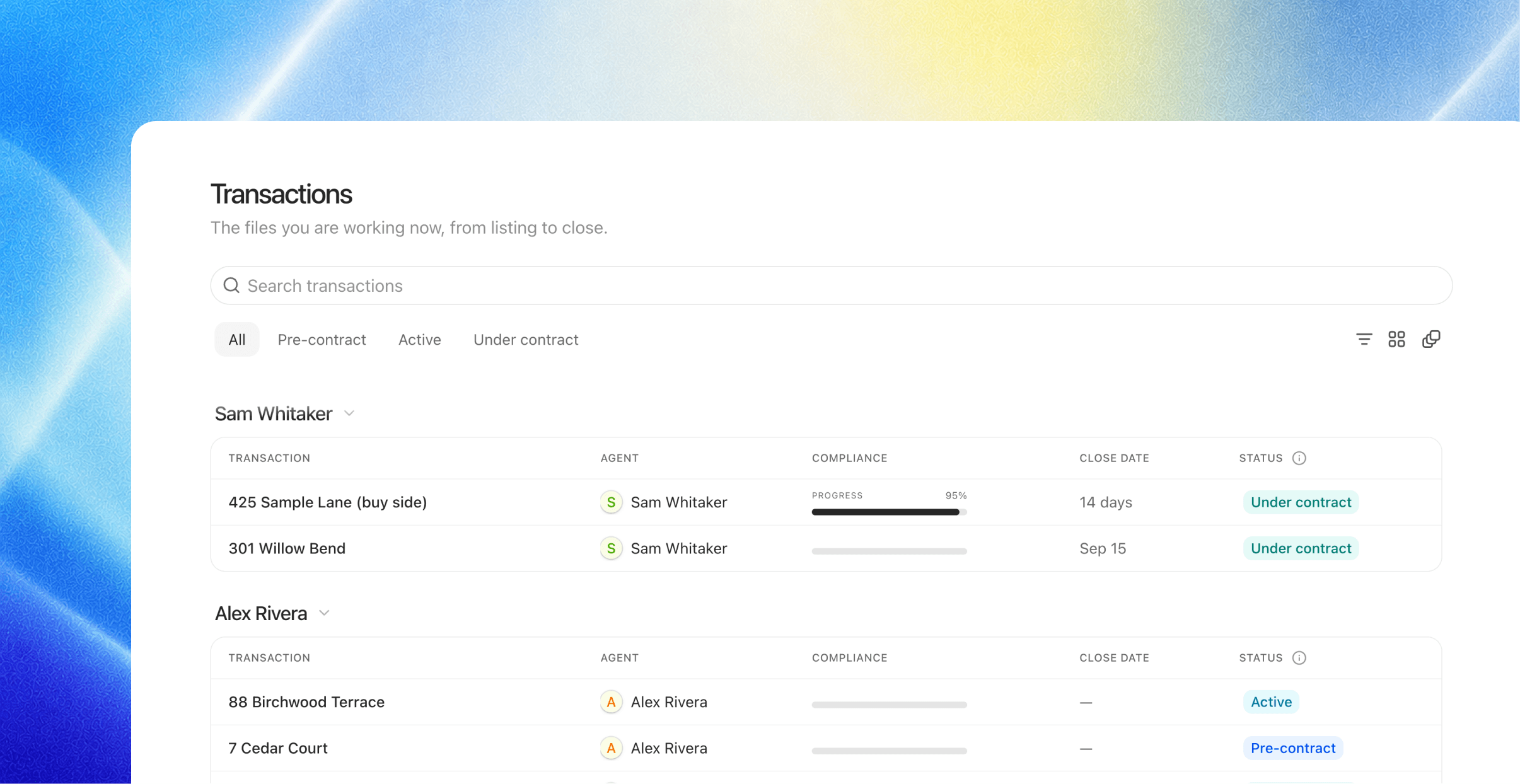
A batch of upgrades to the transactions list:
Multi-agent support. Transactions carry every representing agent; co-listed files show them all, side by side.
Group by agent. One click and you're looking at any agent's entire book, with compliance progress on every file.
Manual status changes. Move a file through its stages directly from the list or the cover sheet. No chat required.
Improved search. Find files by anything you'd remember: address, agents, any participant's name, escrow or MLS number, status, or jurisdiction.
Document version history
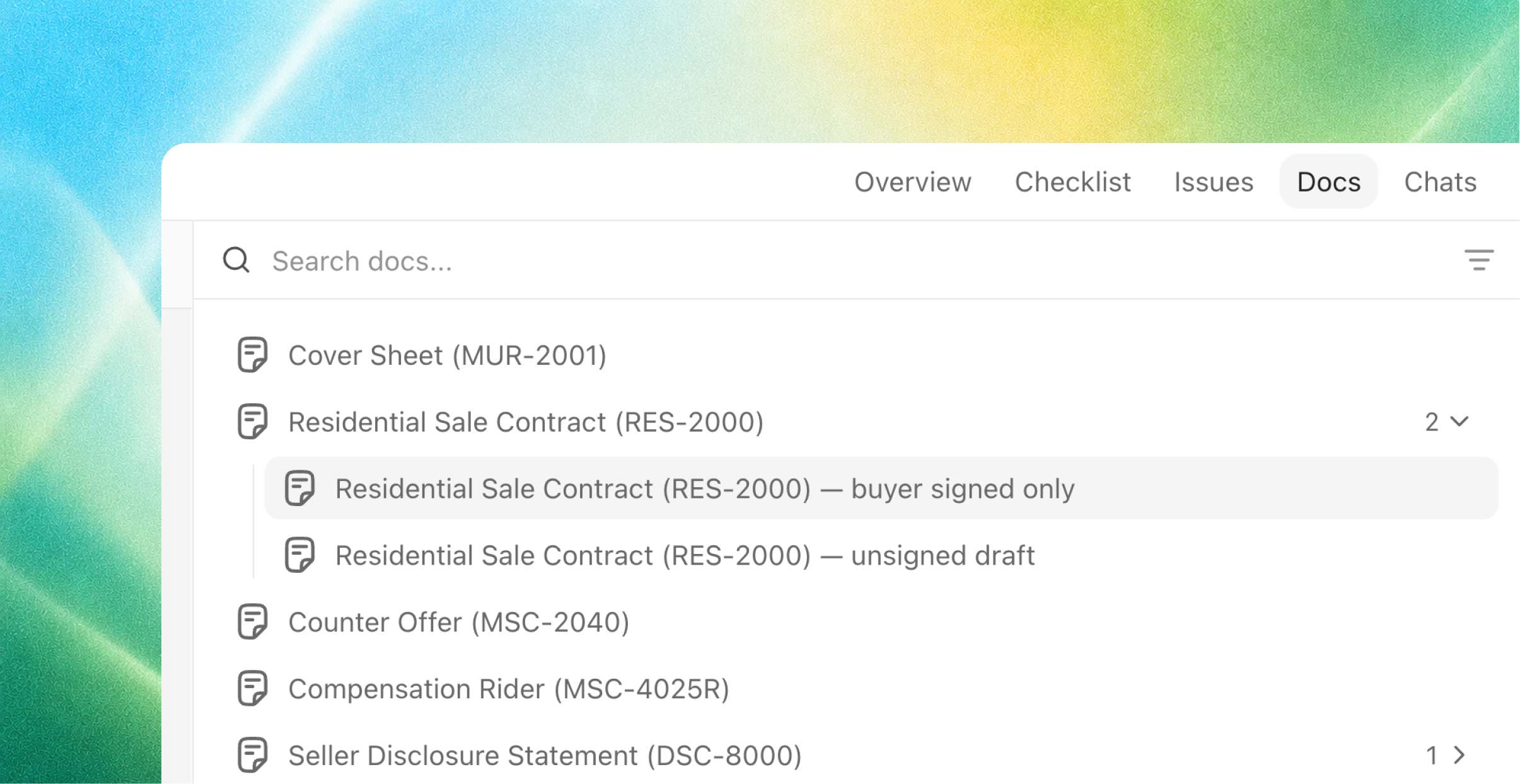
When a corrected document arrives, it now supersedes the old version of the same type, and the file's document list shows it: each document with history gets an expandable section, with the current version on top and every prior version nested beneath it, labeled for what it was ("buyer signed only", "unsigned draft"). Expand to compare, open any version, and from an older one, jump with View current version or bring it back with Restore to active if the swap was a mistake. Any issues the new version resolves clear themselves.
Fixes & improvements
Compact rows built for volume: offices running 150–200 active files at a time stay scannable.
Click anywhere on a row or card to open the file.
Checklist items open their detail in the main pane, and outputs open in place from chat.
Checklist text uses the full width of the pane. No more narrow column.
Chat stays put while you navigate: moving between transactions or sections never switches your conversation.
Fixed chats occasionally showing "Thinking…" after the agent had already finished.
Fixed dead links inside knowledge documents.