Joymore changelog
Brokerage Vault
Feature
Product Release
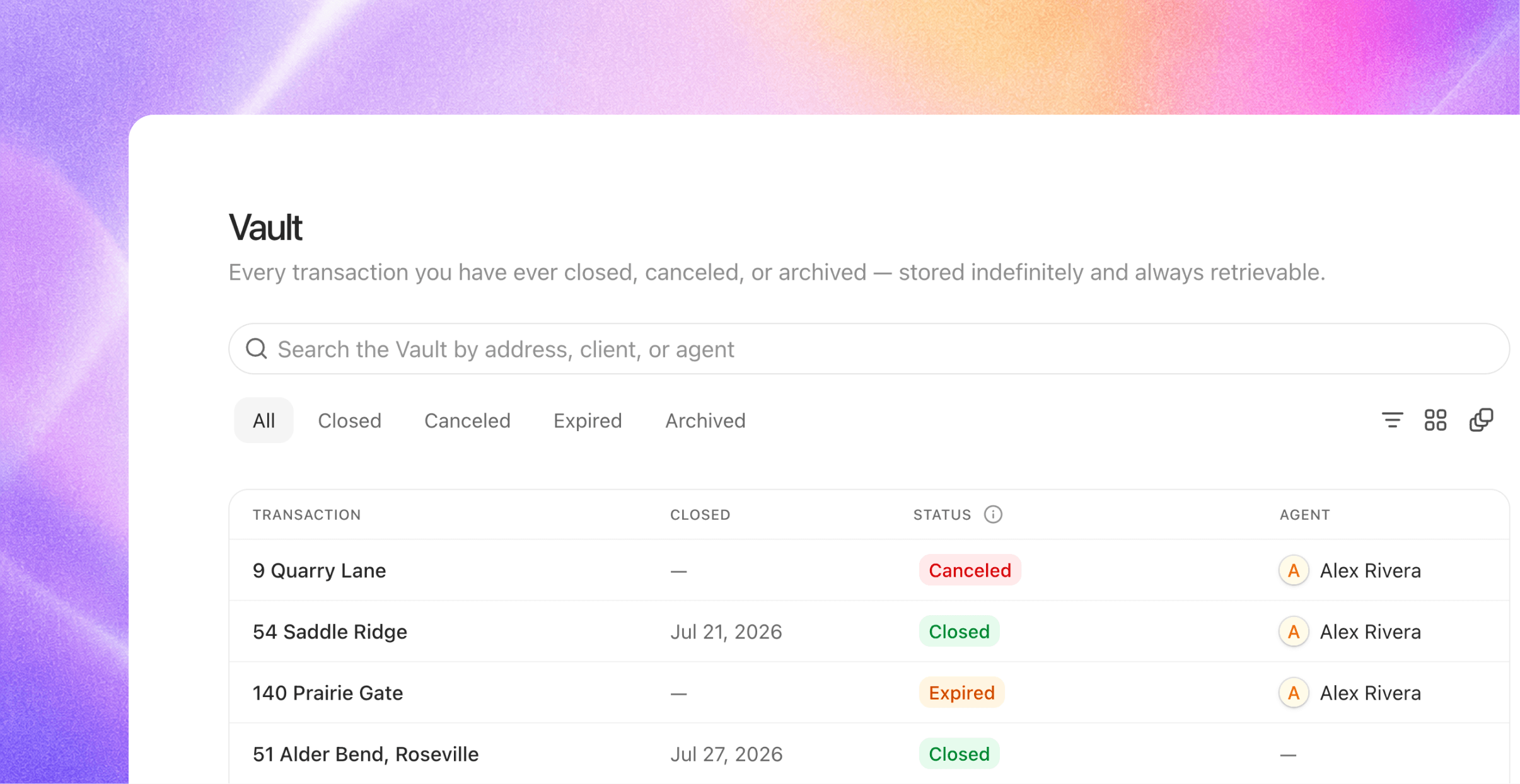
A brokerage never really closes a file; it just stops working on it. Regulators can ask for a transaction years after closing, and the answer can't depend on whose laptop the folder was on. The Vault is Joymore's permanent home for every completed transaction, built so the answer is always one search away.
What lands in the Vault
The moment a file leaves the working set, it's vaulted automatically. No filing step, no cleanup day:
Closed transactions, the moment they close.
Canceled and expired files, with their full history intact.
Archived files you've set aside, which keep their outcome too.
Your transactions list stays what it should be: the files you're working right now.
Built for retrieval
Stored indefinitely. Every document, every decision, every event on the file, kept forever and fully readable. Open any vaulted transaction and it looks exactly like it did the day it settled: documents, checklist results, issues, and the complete timeline.
Searchable the way you remember it. Pull up a file by address, client, or agent. Filter to closed, canceled, expired, or archived.
Nothing to migrate, nothing to maintain. The Vault fills itself as your brokerage works.
Audit exports
When an auditor comes calling, export any transaction as a complete audit package: a sequentially dated zip containing every document on the file plus the full record of everything that happened, who did it, and when. It's organized to hand over as-is, no assembly required.
Active files up front, history one search away, forever.