Joymore changelog
Better audit controls. New transaction and home pages.
Feature
Product Release
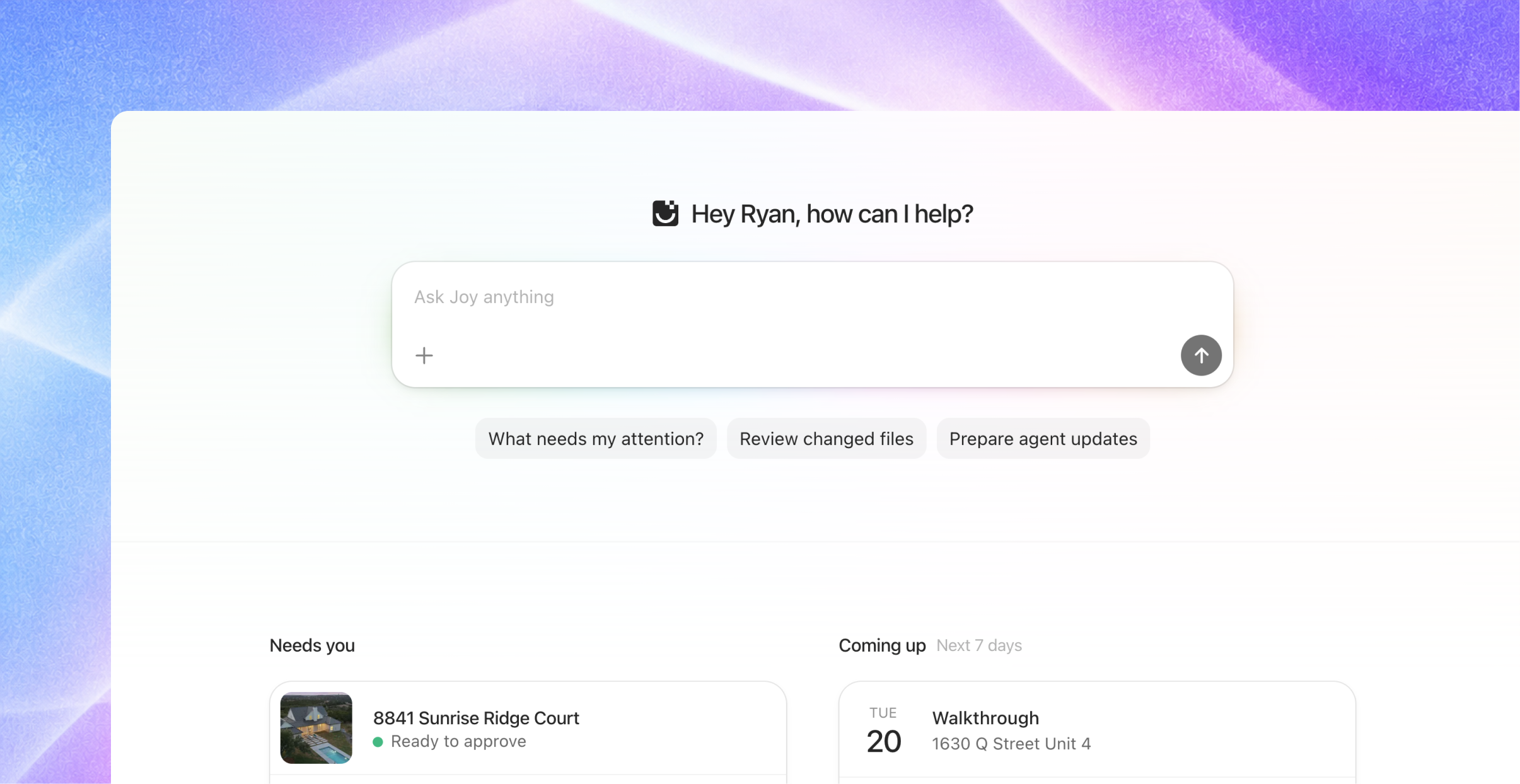
This release brings a new homepage, a redesigned transaction detail page, and a dedicated audit view. Together, they make it easier to see what needs you, find your way around a file, and work through a review.
A new homepage
Start with Joy. Ask a question, attach documents, or use a suggested prompt to see what needs your attention, review changed files, or prepare agent updates.
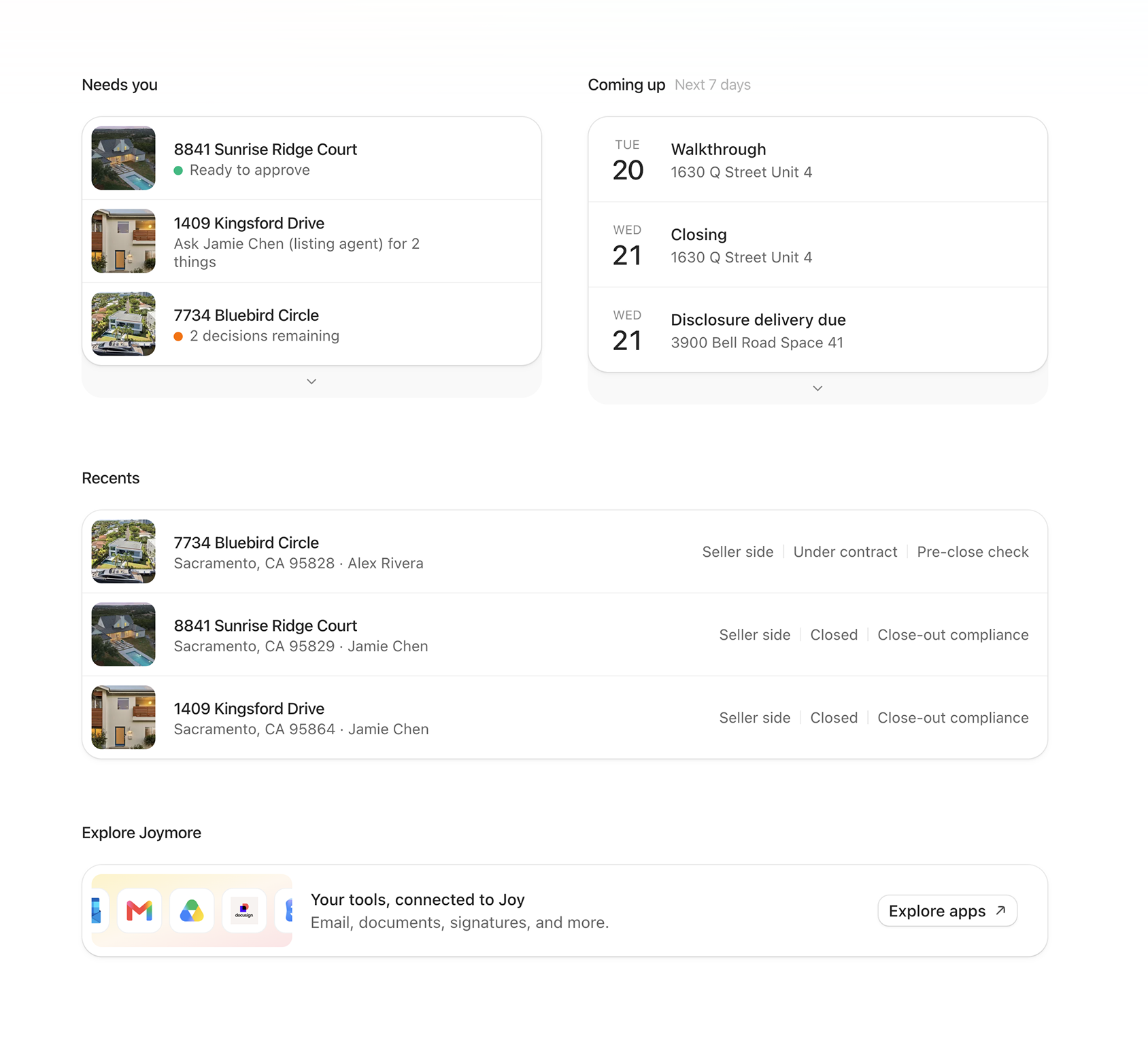
See your day at a glance. Needs you highlights transactions waiting on you. Coming up shows approaching dates, and Recents takes you back to the files you have been working on.
Connect your tools. Explore the apps you can connect to Joymore from the homepage.
A redesigned transaction detail page
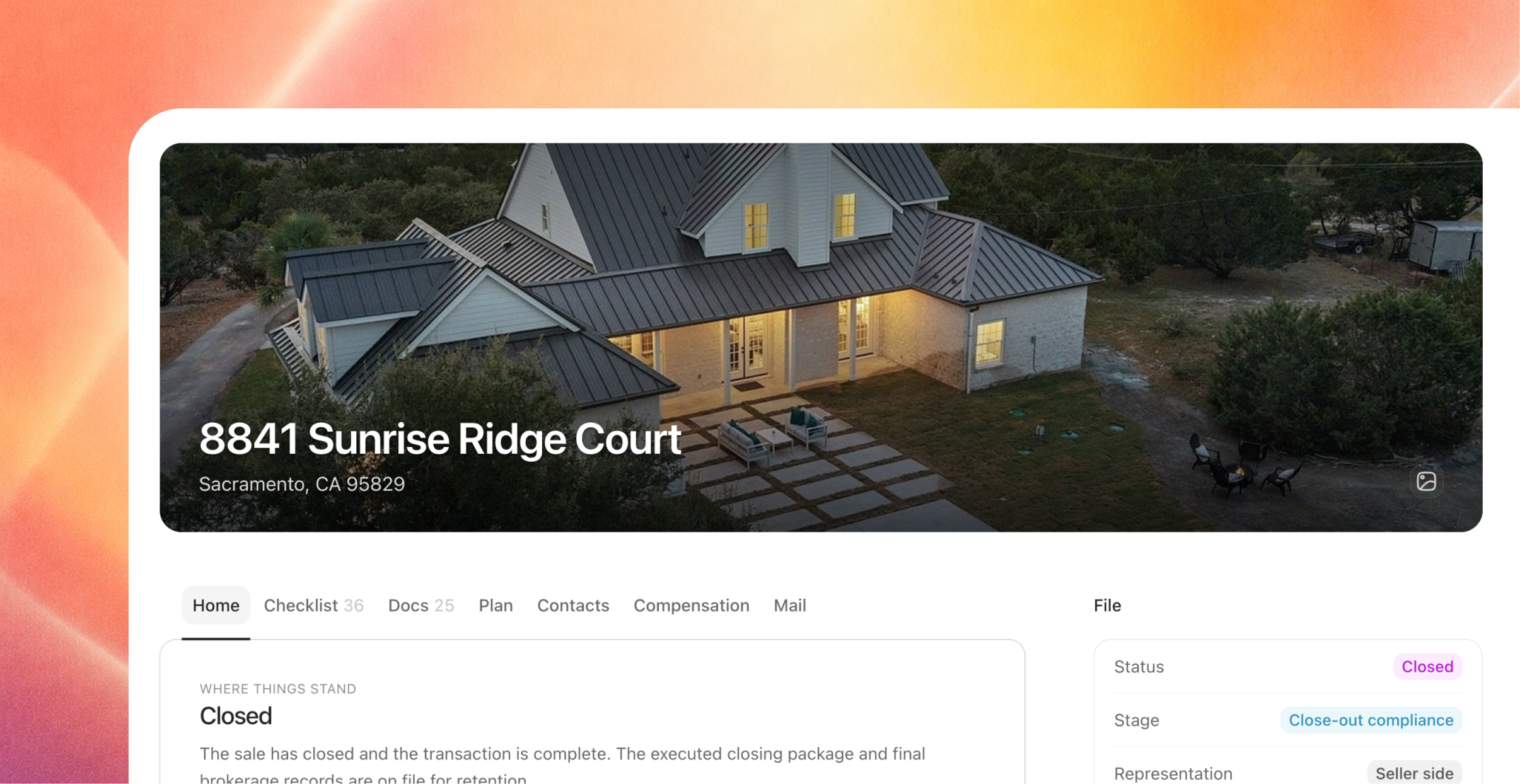
The file has a new home. A property cover and a clearer overview bring the transaction into focus, with sections for its checklist, documents, plan, contacts, compensation, and mail.
Keep your place as you work. Open documents, audit work, and email drafts in tabs within the transaction. Move between them and return to the file without starting over.
Move from the checklist to the paper. Open a requirement or document to see its details and the issues attached to it, then go straight into the audit when a decision needs your attention.
A dedicated audit view
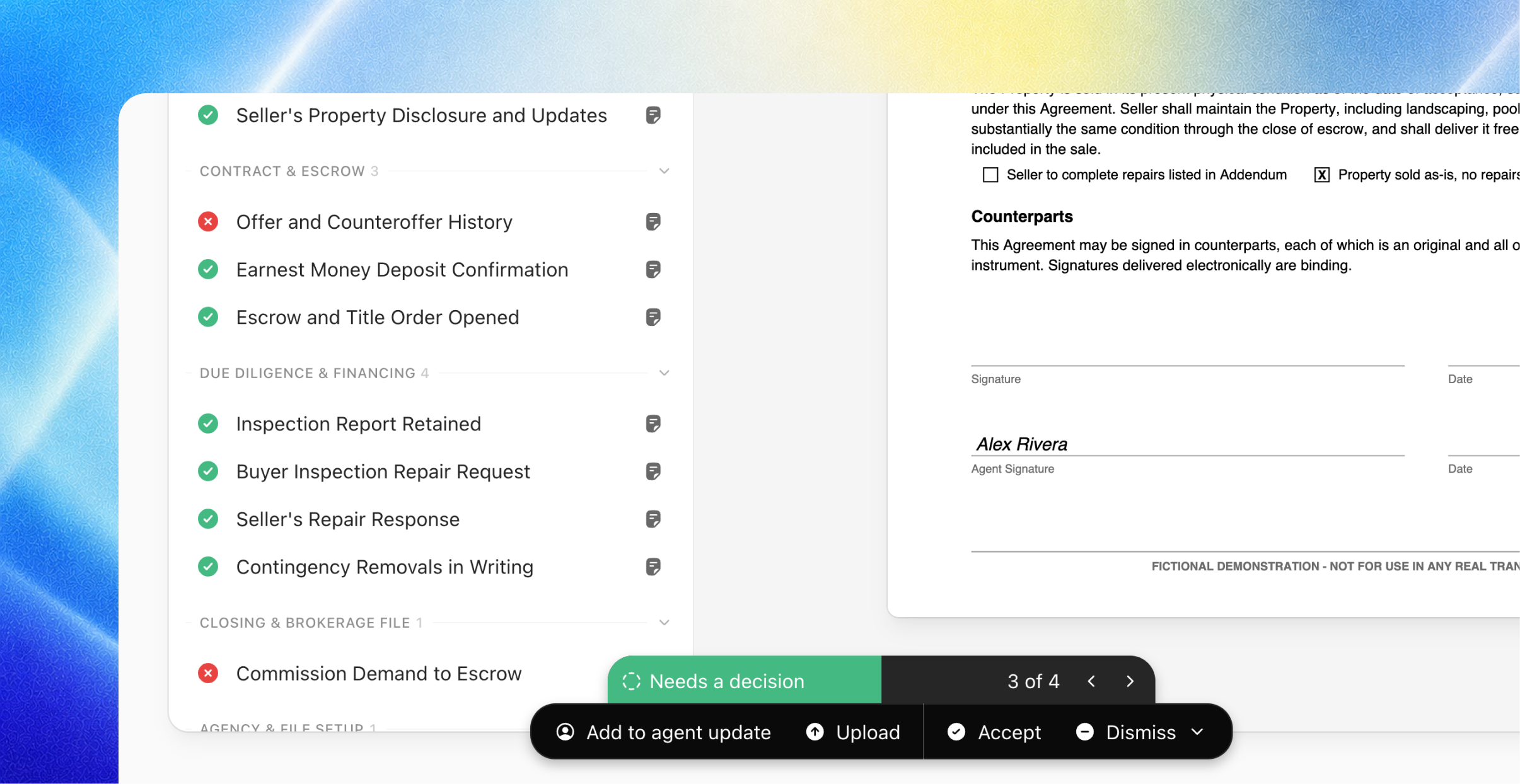
Review the issue and its evidence together. Work through decisions with the supporting document alongside them. Switch between checklist and document views, and choose the review depth you want to work through.
Make the decision where you read the paper. Accept an item, dismiss an issue, upload a missing document, or add a request to the agent update. The audit keeps track of what you have handled and what still needs a decision.
Build the follow-up as you go. Requests collect in an agent update that you can review and edit before sending.
Record the audit, then follow through. Finish with a record of your review and an optional note. Send the agent update or keep it as a draft. Requests and documents awaiting verification remain open on the file
.