Joymore changelog
Buyer Agreements, Document Sharing & Smarter Knowledge
Feature
Product Release
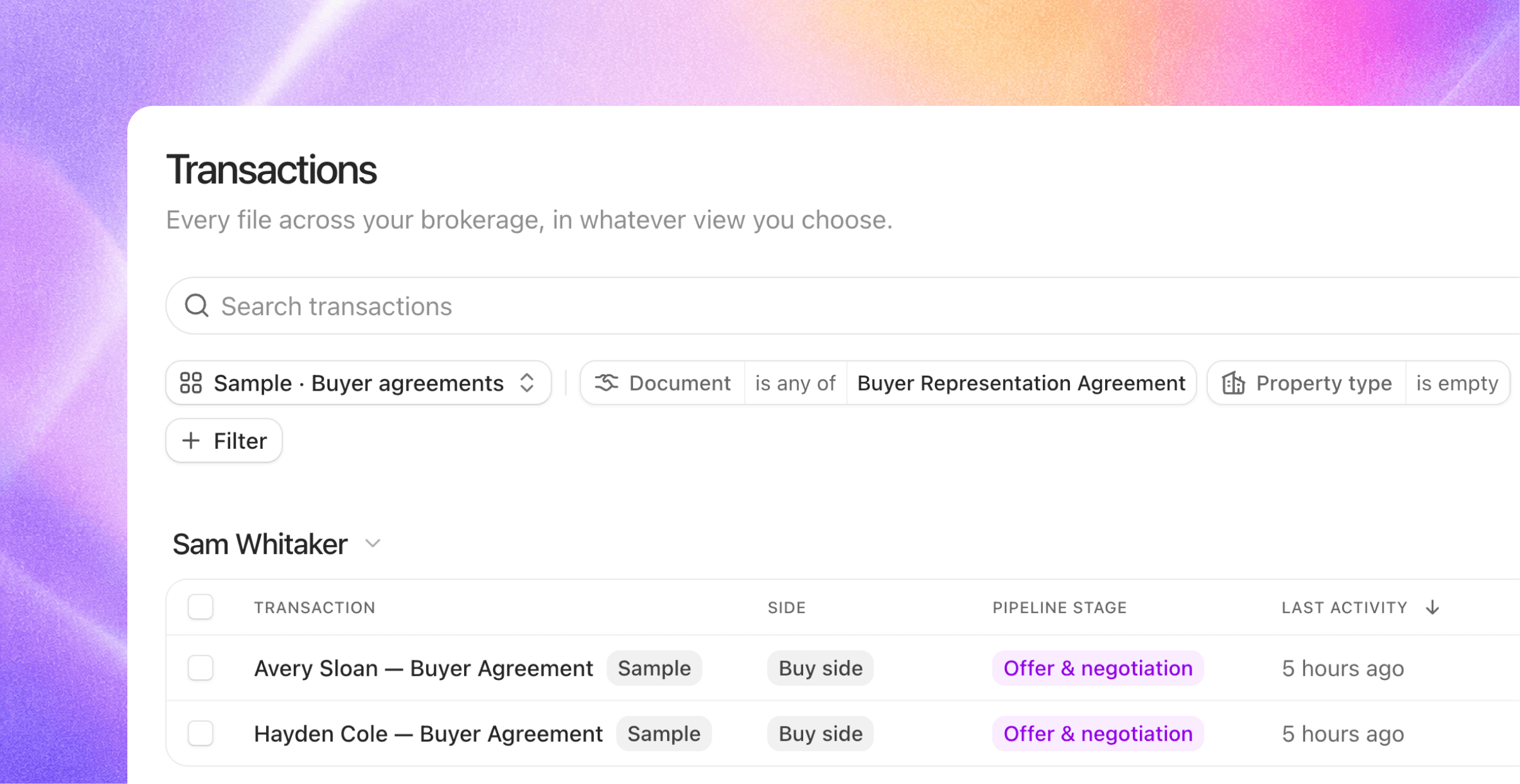
Joymore Compliance 2.0 rebuilt the review around the deal. This release extends the deal in both directions: to the representation that exists before any property does, and to the people outside your brokerage who need the finished paperwork.
Also, knowledge became even smarter: write down how your brokerage works, and Joymore takes it from there. Chat got dramatically faster, too.
Buyer agreements, first class
A buyer representation agreement has never fit transaction software. It arrives before any property exists, it covers every purchase the buyer makes during its term, and it expires quietly in the background. Joymore now treats it as what it is: representation, not just another document.
A real home from day one. Forward a signed buyer agreement with no property on it and Joymore founds an engagement file for that buyer: a genuine transaction file, just without an address yet. When the buyer goes under contract, that same file becomes the deal file. No parking lot, no fake transactions.
One agreement, every deal. During its term, the agreement follows the buyer. Sign one and Joymore links it onto the buyer's open files automatically; open a new file for a represented buyer and their standing agreement is already attached. It works in both directions, and the original always stays where it lives.
Term status on the cover sheet. Every file shows where representation stands: in term, expiring soon, or expired, always read from the latest agreement on the file. An expiring term surfaces alongside your other key dates while there's still time to renew, and an expired one warns you without ever silently changing the file's status.
Reviews check before they flag. Before raising a missing buyer agreement issue, Joymore searches the buyer's other files for an agreement that covers the deal.
Share documents beyond the brokerage
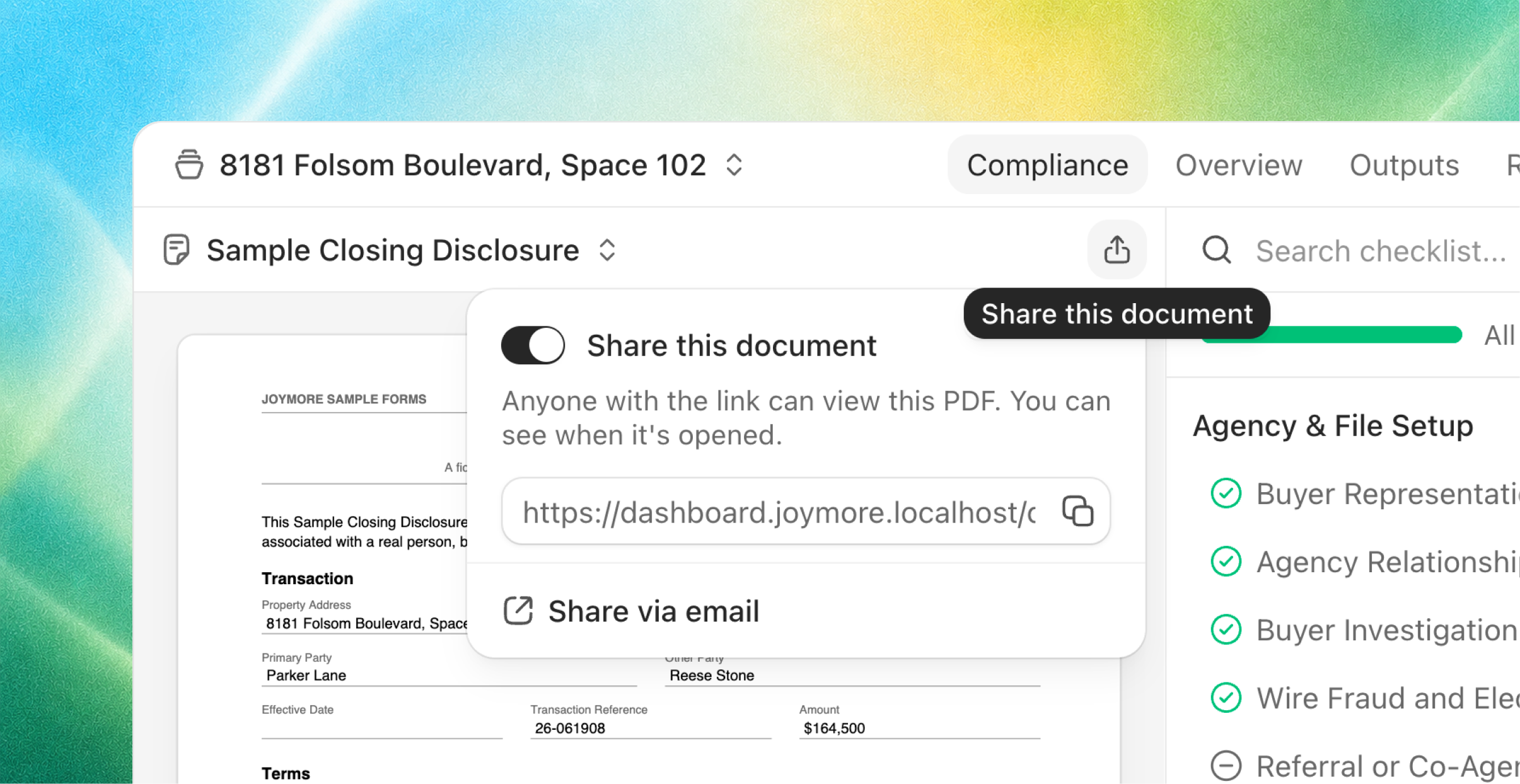
Completed paperwork has an audience your login can't reach: lenders, co-op agents, attorneys, clients. Sharing is now a first-class state on every completed document.
One switch, one link. Flip Share on in the document view and copy the link. Recipients get a clean, branded page with the document, the property, and your brokerage's name. They can view and download, no account required.
One live link per document. Everyone you send it to gets the same link, and revoking it kills it everywhere, instantly. Re-enabling sharing mints a brand-new link, so anything that leaked stays dead.
Pinned to what you shared. The link always shows the exact version you shared. A corrected version arriving later never silently swaps what the outside world sees.
Or just ask. Tell Joymore to send the settlement statement to the lender and it enables the link and drafts the email around it, for your approval.
Email drafts grew into a real composer. Every email Joymore drafts, whether it's sharing a document or chasing a signature, now opens in one full composer. Edit the body, drop any proposed recipient, add anyone by plain address; recipients don't have to be contacts. Approve it and Joymore sends it, or copy the draft and send it from your own email. As always, nothing leaves without you.
Knowledge: teach Joymore how your brokerage works
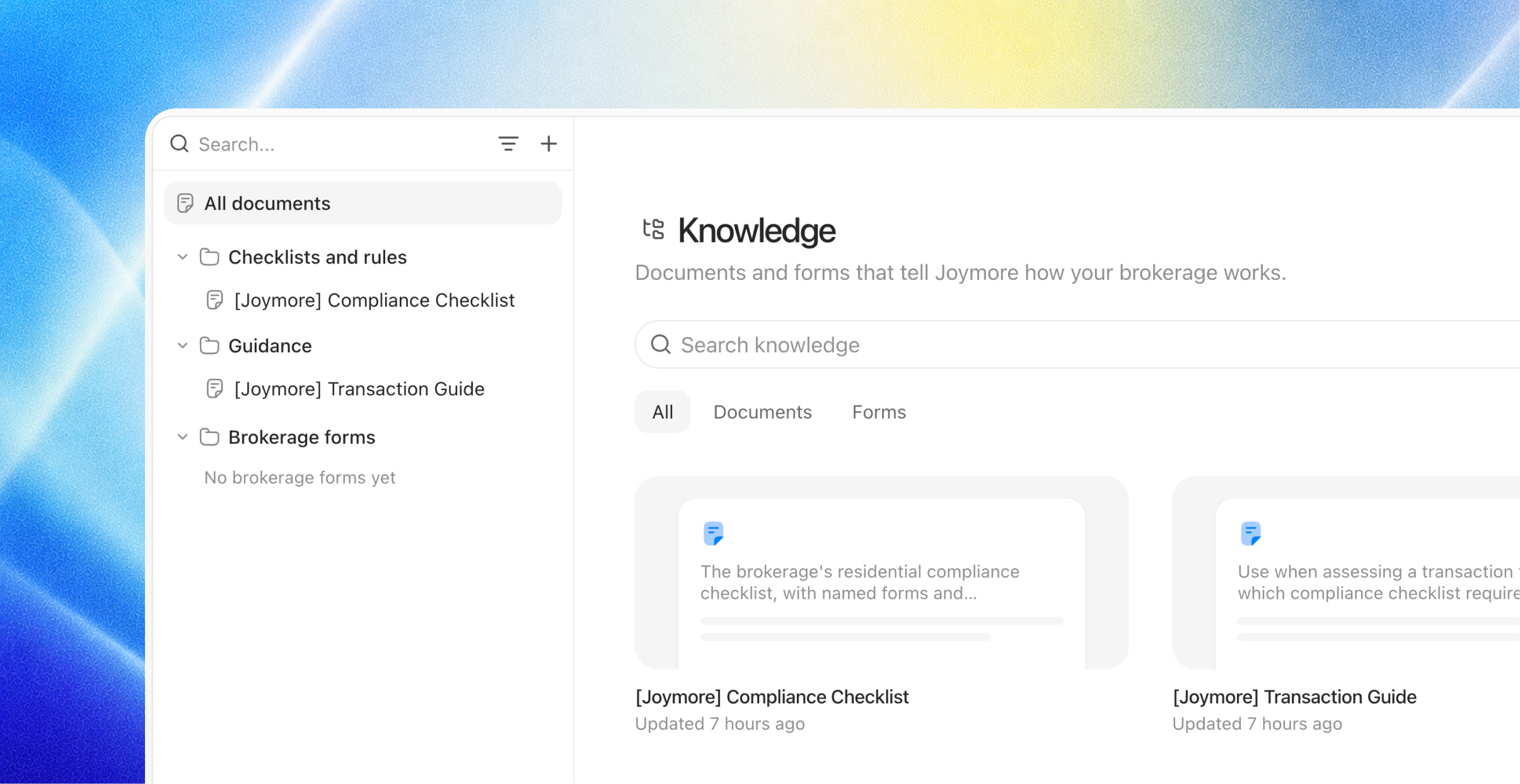
Customers kept asking the same question in different words: how do I change the way Joymore drafts emails? The tone, the phrasing, what things are called. The answer has always been knowledge, and this release makes it a solid answer.
Write it like a briefing, not a configuration. Add a document the way you'd brief a new hire: "How we write client emails." "What we call our offices." "When to loop in the broker." Plain language, your words, no special format. Since every knowledge document is just a document, there's nothing to classify and no type to pick.
Never think about when it gets picked up. You don't wire documents to features or set rules for when they apply. Joymore does that work behind the scenes: your email guide shapes its drafts, your review standards shape its checks, each exactly where it's relevant and nowhere it isn't.
Change it anytime. Knowledge documents are living documents. Edit one, in the library or by asking Joymore, and the change takes effect everywhere that document matters.
Fixes & improvements
Answers to questions Joymore asked from background work now always find their way back to it.
Checklist item details open cleanly even before any evidence is pinned.
Several files can be reviewed at once; they no longer queue behind each other.
First load is noticeably faster, and live updates reconnect more gracefully after a connection blip.
Brief database hiccups now heal themselves instead of surfacing as errors.
Filter menus understand plain words: typing "deadline" finds the key-date filters.
Hover actions on your chat messages stay put while you reach for them.
Chatting about an automation no longer switches the page out of the view you were in.
Broken or outdated links land on a proper page with a way back, instead of a blank screen.